
Tycoon Shop
作者:rebot | 分类:模组
Minecraft 版本: 1.21.1 1.21.2 1.21.3 1.21.4 1.21.5 1.21.6 1.21.7 1.21.8 1.21.9 1.21.10 1.21.11 26.1 26.1.1 26.1.2
平台: neoforge
标签: economy game-mechanics utility

Overview
Tycoon Shop is a server-side economy mod for NeoForge 1.21.1. It adds a currency system, an admin-managed shop, a player-to-player marketplace, and wallet management tools.
Currency
Five coin tiers exist, each worth a configurable multiple of the one below it (default 100:1):
Copper Coin → Iron Coin → Gold Coin → Diamond Coin → Netherite Coin
Coins are physical items that can exist in your inventory. When you deposit them into your wallet, they auto-convert upward — 100 copper automatically becomes 1 iron, and so on. When spending, higher-tier coins are broken down automatically to cover the cost.
Wallet
Every player has a personal wallet stored on the server. It persists through deaths and restarts.
Interacting with the wallet:
Left-click the wallet HUD button — opens the withdraw screen to take coins out as items
Shift + Left-click the HUD button — deposits all coin items from your inventory into the wallet
Right-clicking a coin item — deposits that stack directly into the wallet
If FTB Teams is installed, teammates share a single wallet.
Tycoon Shop
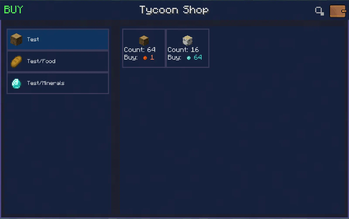
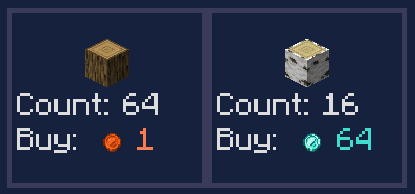
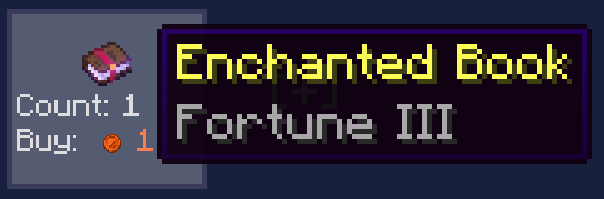
An admin-managed store where players can buy items for coins. The shop is organized into categories and entries.
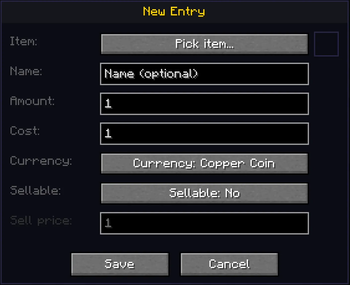
Admins open the shop with /tshop, then enable Edit Mode to:
Create, rename, reorder, and delete categories
Add, edit, reorder, and delete item entries with custom prices and currencies
Save the current shop layout as the server default
Changes are applied live — no restart needed.
Player Market
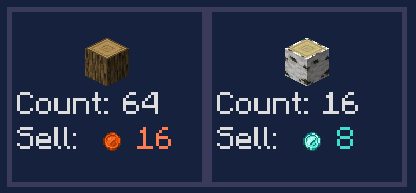
A player-to-player marketplace where anyone can list items for sale.
Create a listing — select an item from your inventory, set a price and currency
Buy a listing — coins are deducted from your wallet, item goes to your inventory
Cancel a listing — the item is returned to your inbox
Inbox — if you're offline when your item sells or you cancel a listing, coins and items wait in your inbox until you claim them
Listings expire automatically after a set period
Tax: every sale deducts a 5% tax from what the seller receives (minimum 1 coin for prices of 2+). Taxed coins are destroyed, reducing the money supply over time.
Commands
Available to all players
Command Description
/tshop  Opens the shop
/tshop pay <player> <currency> <amount> Transfers coins from your wallet to another player
Operators only (permission level 2)
Command Description
/tshop editmode Toggles shop edit mode for the calling admin
/tshop wallet <player> <currency> add <amount>  Adds coins to a player's wallet
/tshop wallet <player> <currency> set <amount>  Sets a player's coin balance
/tshop wallet <player> <currency> get   Checks a player's balance for a specific currency
/tshop savedefault  Saves the current shop layout to config/tycoonshop/default_shop.json
/tcoins give <player> <currency> <amount>   Gives coins to a player
/tcoins set <player> <currency> <amount>    Sets a player's balance
/tcoins show <player>   Displays a player's full wallet
Currency IDs for commands: copper_coin, iron_coin, gold_coin, diamond_coin, netherite_coin
Configuration
Two config files are generated on first launch:
tshop_coin.toml — exchange rates between coin tiers (default 100, range 2–10000)
tshop_name.toml — display names for the Shop and Market screens
Optional Integration
FTB Teams — if installed, players in the same team share one wallet automatically. No extra setup needed.
请登录后举报
暂无评论,抢个沙发吧~