
VelocityNavigator
作者:rebot | 分类:模组
Minecraft 版本: 1.16 1.16.1 1.16.2 1.16.3 1.16.4 1.16.5 1.17 1.17.1 1.18 1.18.1 1.18.2 1.19 1.19.1 1.19.2 1.19.3 1.19.4 1.20 1.20.1 1.20.2 1.20.3 1.20.4 1.20.5 1.20.6 1.21 1.21.1 1.21.2 1.21.3 1.21.4 1.21.5 1.21.6 1.21.7 1.21.8 1.21.9 1.21.10 1.21.11 26.1 26.1.1 26.1.2 26.2
平台: bukkit folia paper purpur spigot velocity
标签: management transportation utility


VelocityNavigator
Velocity's try list is useful for fallbacks, but it is not a load balancer: while the first lobby is available, most players are sent there. VelocityNavigator chooses a lobby for initial joins and /lobby requests using live health, capacity, maintenance state, and the routing mode you select.
It is comfortable on a two-lobby proxy and has room to grow into multi-proxy networks without making the basic setup complicated.
Download the current JAR with the Download button on this Modrinth page. It always runs on Velocity; the same file can also be installed on Paper or Spigot when you want the Java inventory selector.
Version 4.4.0
Version 4.4 separates the name players see from the server ID Velocity uses. A backend registered as lobby1 can now appear as Main Lobby 1 in the Java inventory, clickable chat menu, and Bedrock form.
Configure the presentation in gui.toml:
[servers]
"lobby1" = { display_name = "Main Lobby 1", description = "Events, portals, and network help", menu_order = 10, show_in_menu = true }
"staff-lobby" = { display_name = "Staff Lobby", menu_order = -1, show_in_menu = false }
The real IDs stay in velocity.toml. Routing, health checks, callbacks, secure menu tokens, and connection requests continue to use those IDs.
Also included in 4.4:
- shared descriptions, ordering, and visibility across all three selectors
- reusable Java item styles for full, draining, offline, and in-game servers
- configurable inventory sizes from two to six rows, with navigation kept in the reserved bottom row
/vn menu validatefor unknown IDs, duplicate labels, slot conflicts, materials, and placeholders- one Java 17-bytecode JAR verified on Velocity 3.4.x, 3.5.x, and 4.0.0
Routing

| Mode | Good fit |
|---|---|
least_players |
Straightforward balancing for a small pool |
power_of_two |
A fast default for busy networks |
weighted_round_robin |
Lobbies with different capacities |
consistent_hash |
Keeping players on a familiar lobby |
latency |
Choosing by proxy-to-backend response time |
least_connections |
Routing by recent connection load |
round_robin / random |
Simple deterministic or random rotation |
A candidate can be excluded when it is offline, full, drained, circuit-broken, or in a disallowed lifecycle state. Fallback pools and contextual groups let different game modes return players to the right hub. Initial joins use the same checks as /lobby, so the balance begins before players run a command.
Player selectors
Java inventory
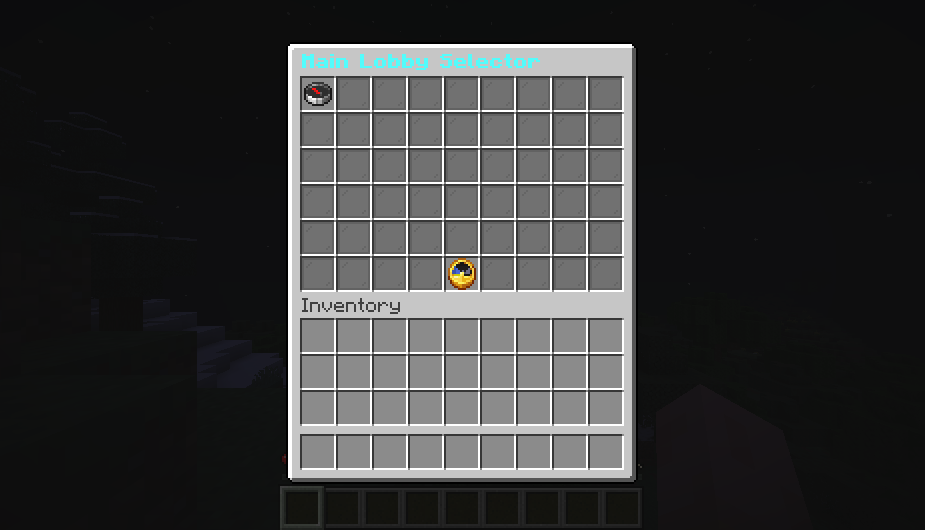
The optional Paper/Spigot bridge renders a paginated chest menu. gui.toml controls its row count, filler, icons, fixed slots, navigation buttons, refresh interval, item names, lore, and state styles.
Bedrock form
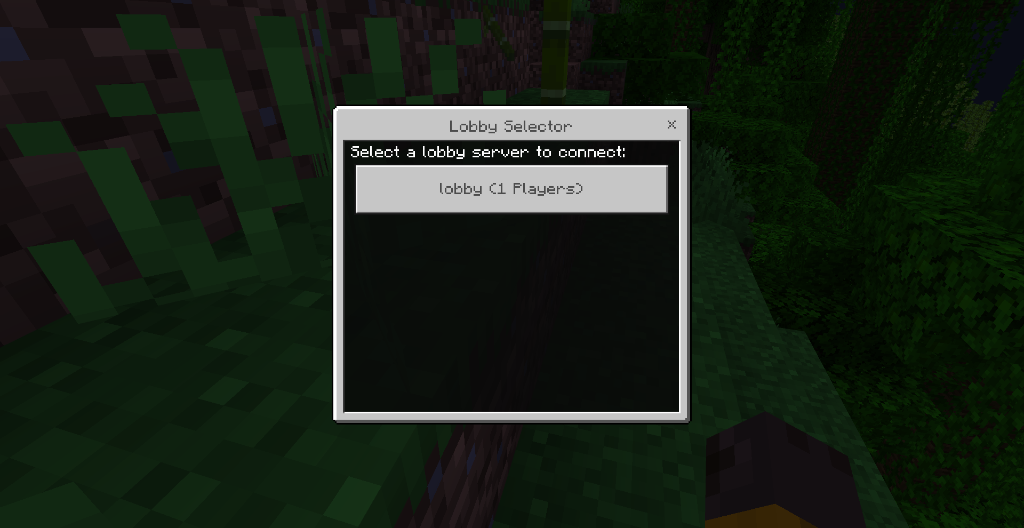
Geyser/Floodgate players can use a native form. If neither GUI is installed, VelocityNavigator can fall back to the clickable Java chat selector. Display names, descriptions, ordering, and visibility stay consistent between all three.
The screenshots above are from running Minecraft clients.
Installation choices

| Setup | What you get |
|---|---|
| Velocity only | Routing, initial-join balancing, chat selector, Bedrock forms, health checks, parties, queues, commands, and metrics |
| Velocity plus backend bridge | Everything above, plus the Java inventory selector and optional backend Redis registration |
| Multiple Velocity proxies plus Redis | Shared health, circuit-breaker, affinity, and backend-state information |
A proxy-only installation is fully supported. Put the JAR on a backend only when that server needs bridge features. Startup logs state whether the file is running in VELOCITY PROXY or BACKEND GUI BRIDGE mode.
Optional network features

- Parties: invites, member management, private chat, and leader-follow transfers
- Capacity queue: position updates and automatic connection when a lobby opens
- Redis sync: shared routing state between Velocity proxies, plus authenticated backend registration
- Operations: Prometheus metrics, Grafana setup, and an optional local HTML dashboard
- Affinity: persistent sticky routing across proxy restarts
These systems are disabled or optional until configured. Party membership and queue positions are local to one proxy, so players using those features should remain pinned to that proxy in a multi-proxy deployment.
Administration

| Command | Purpose |
|---|---|
/vn health |
Quick network and routing summary |
/vn servers |
Health, players, capacity, drain, and circuit state by server |
/vn debug player <name> |
Explain the routing result for a player |
/vn bridge status |
Show detected backend bridges |
/vn drain <server> / /vn undrain <server> |
Take a lobby out of or return it to rotation |
/vn server add, dry-run, list, remove |
Safely manage Velocity server entries |
/vn config validate |
Check the main configuration |
/vn menu validate |
Check selector IDs, labels, slots, materials, and placeholders |
/vn reload |
Reload proxy-side configuration |
velocitynavigator.use controls the player lobby command. velocitynavigator.admin controls administration commands.
Quick setup
- Download
VelocityNavigator-4.4.0.jarfrom this page. - Put it in the Velocity proxy's
pluginsfolder. - Start the proxy once so the configuration files are created.
- Add registered lobby IDs to
navigator.toml, or use/vn server add lobby. - Run
/vn config validate, then/vn reload. - Install the same JAR on selected Paper/Spigot backends only if you need the Java inventory.
A minimal routing section looks like this:
[routing]
selection_mode = "power_of_two"
balance_initial_join = true
default_lobbies = ["lobby-1", "lobby-2"]
Each name must already exist under [servers] in Velocity's velocity.toml.
Compatibility and limits
- Velocity 3.4.x, 3.5.x, and 4.0.0
- Java 17 for Velocity 3.4.x, Java 21 for 3.5.x, and Java 25 for 4.0.0
- Minecraft versions supported by the selected Velocity build
- optional Paper/Spigot bridge built against API 1.16.5 without version-specific NMS
- Geyser and Floodgate for native Bedrock forms
BungeeCord and Waterfall are not supported. Redis Cluster/Sentinel discovery and GeoIP routing are not included in 4.4.0.
Updating from 4.3
Back up the current JAR and plugin folder, replace the JAR on one proxy, and start that proxy first. navigator.toml remains on schema 8. A version 1 gui.toml is backed up as gui.toml.v1.bak and rewritten as schema 2; existing server entries and per-item overrides are kept. Run /vn menu validate and /vn config validate before rolling the update across the network.
Support
Use this Modrinth page for downloads and updates. For setup help or bug reports, join DemonZ Development on Discord.
Live usage statistics
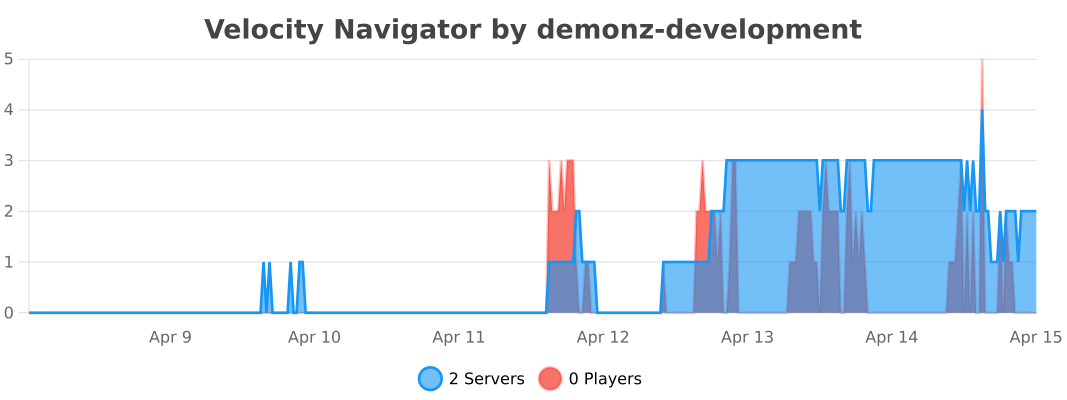
The chart reports anonymous Velocity-side usage through bStats and refreshes automatically. Metrics can be disabled in configuration. Backend metrics are configured separately.
Sponsored by Nexeu Hosting

High-performance, affordable hosting for your Minecraft server. Premium hardware, instant setup, 24/7 support.
请登录后举报
暂无评论,抢个沙发吧~