
Essential-PlayerInfo
作者:rebot | 分类:模组
Minecraft 版本: 1.13 1.14 1.15 1.16 1.17 1.18 1.19
平台: velocity
标签: management optimization social


Core Features
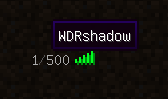
Global PingList
Display the player ID on the Minecraft server list.
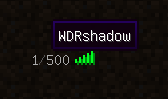
Global TabList
Show global players on the TabList.
- You can now customize the display mode and display message of global players. (see config)

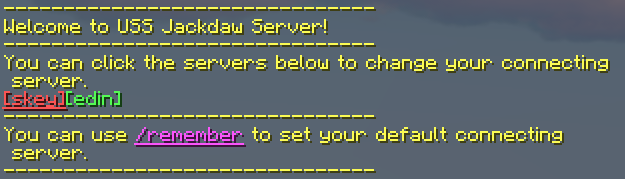
Connection Message
Welcome message will be sent to every player when they connect to a register server. And provide a way to click to
switch servers.
- You can now customize the message in config file.
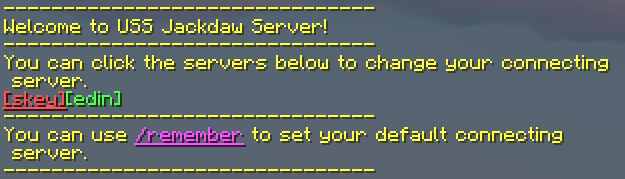
Global Chat & ConnectionTips
The most basic cross-server chat function. & Simple connection tips.
- You can now click the [ServerName] to switch to the target server.

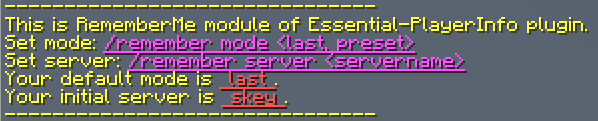
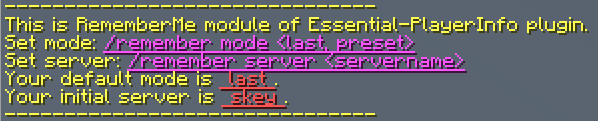
Remember my initial connecting server
A feature to let your players set the initial connecting server as they like. The default setting is "remember their
last connected server".
Players can use command to set the mode and server.
-
Set default mode
- Description: If set to
preset, players will connect to a specific server every time when they connect to the
proxy. This initial server can be set by another command. If set tolast, players will connect to the server they
last exit. - Usage:
/remember mode <last, preset> - Default:
last
- Description: If set to
-
Set initial server
- Description: Only work if the default mode is
preset. Set the initial connecting server. - Usage:
/remember server <servername> - Default:
null(If null, players will connect to the default server of the proxy)
- Description: Only work if the default mode is
Players can also use click to command with /remember or connection message.
Optional Features
Customize your message text
You can change the custom text in the config file. You can use MiniMessage to color the message.
You can use %player%, %server% ,%previousServer% and %serverList% to replace the variable.
Command-to-broadcast
For those who don't want their servers to be continuous global broadcasts, we provide an option to enable "command to
broadcast". Which means the chat messages in these servers would be broadcast only when the beginning of the message
is "#".
请登录后举报
请 登录 后赞助作者。
暂无评论,抢个沙发吧~