PlayerServers
作者:rebot | 分类:模组
Minecraft 版本: 1.8 1.8.1 1.8.2 1.8.3 1.8.4 1.8.5 1.8.6 1.8.7 1.8.8 1.8.9 1.9 1.9.1 1.9.2 1.9.3 1.9.4 1.10 1.10.1 1.10.2 1.11 1.11.1 1.11.2 1.12 1.12.1 1.12.2 1.13 1.13.1 1.13.2 1.14 1.14.1 1.14.2 1.14.3 1.14.4 1.15 1.15.1 1.15.2 1.16 1.16.1 1.16.2 1.16.3 1.16.4 1.16.5 1.17 1.17.1 1.18 1.18.1 1.18.2 1.19 1.19.1 1.19.2 1.19.3 1.19.4 1.20 1.20.1 1.20.2 1.20.3 1.20.4 1.20.5 1.20.6 1.21 1.21.1
平台: bukkit bungeecord folia paper spigot velocity waterfall
标签: management
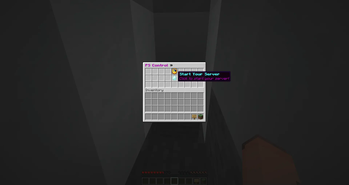
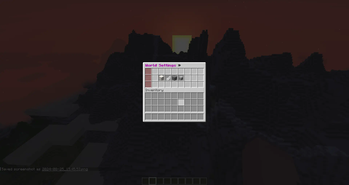
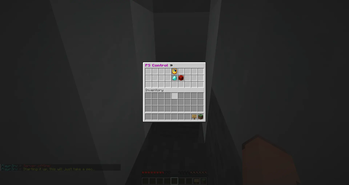
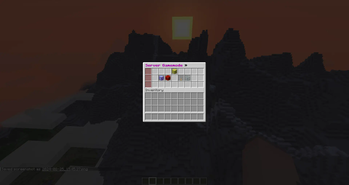
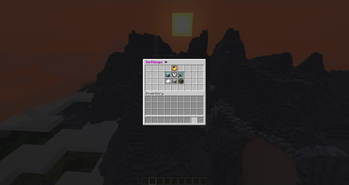
As seen on MineHut!
This plugin can run on Windows and Linux!
Simply drop it into your BungeeCord/Velocity/Lobby plugins folder and your good to go.
Commands:
myserver » Opens server gui settings.
playerserveradmin: » Admin controls over all the player servers.
playerserver: » Main gui for making and joining servers.
pssync: » Syncs settings from all config files.
Permissions:
-
playerservers.templates.all » Give access to all templates
-
playerservers.templates.folderName » Give access to template in the folder folderName
-
playerservers.bypassexpire » Bypass server expiring, player's with this permission won't have their server expire, though time will still be tracked in the background in case the perm is removed.
-
playerservers.bypassblock » Bypass the bungee-side command block
-
playerservers.bypassmaxservers » Bypass the global-max-servers limit when their server is started by anyone or they start another's player's server.
-
playerservers.admin » Use every sub-command in the /psa command. If you don't want that, use the sub-command permissions:
-
playerservers.psa.create » Use /psa create
-
playerservers.psa.start » Use /psa start
-
playerservers.psa.stop » Use /psa stop
-
playerservers.psa.restart » Use /psa restart
-
playerservers.psa.delete » Use /psa delete
-
playerservers.psa.stopall » Use /psa stopall
-
playerservers.psa.addtime » Use /psa addtime
-
playerservers.psa.removetime » Use /psa removetime
-
playerservers.psa.checktime » Use /psa checktime
-
playerservers.psa.memory » Use /psa maxmem & /psa startmem
-
playerservers.psa.slots » Use /psa slots
-
playerservers.psa.reload » Use /psa reload
-
playerservers.psa.motd » Use /psa motd
-
playerservers.psa.kill » Use /psa kill
-
playerservers.player » Use every sub-command in the /ps command, create their own server, etc. If you don't want that, use the sub-command permissions:
-
playerservers.ps.join » Use /ps join
-
playerservers.ps.join.selector » Use the /ps join server selector.
-
playerservers.ps.create » Use /ps create, /ps home, and /ps stop, /ps restart
-
playerservers.ps.checktime » Use /ps checktime
-
playerservers.ps.sharetime » Use /ps sharetime
-
playerservers.ps.delete » Use /ps delete
-
playerservers.ps.startother » Start other player's servers with /ps join.
-
playerservers.ps.motd » Use /ps motd
Bukkit Permissions »
(almost never used as server owners get OP, and can OP other players on their server, but I should mention it anyway)
(More coming soon)
-
playerservers.myserver » Use the /myserver command while on someone elses server. Servers owners can give this if a perms plugin is installed and users will be able access ALL of the /myserver command. Have them give individual permissions below if they only want to permit PART of /myserver to be used by others.
-
playerservers.myserver.gamemode » Allow access to editing the gamemode via GUI or /mys settings.
-
playerservers.myserver.difficulty » Allow access to editing the difficulty via GUI or /mys settings.
-
playerservers.myserver.pvp » Allow access to editing the pvp mode via GUI or /mys settings.
-
playerservers.myserver.worldsettings » Allow access to editing the world settings via GUI.
-
playerservers.myserver.whitelist » Allow access to editing the whitelist via GUI or /mys whitelist.
-
playerservers.myserver.ban » Allow banning players via GUI or /mys ban.
-
playerservers.myserver.kick » Allow kicking players via GUI or /mys kick.
-
playerservers.myserver.stop » Allow stopping the server via /mys stop.
请登录后举报
暂无评论,抢个沙发吧~