
Kaleidoscope Hodgepodge
作者:rebot | 分类:模组
Minecraft 版本: 26.2
平台: fabric
标签: decoration food storage
About
Kaleidoscope: Hodgepodge
森罗物语:杂烩



English
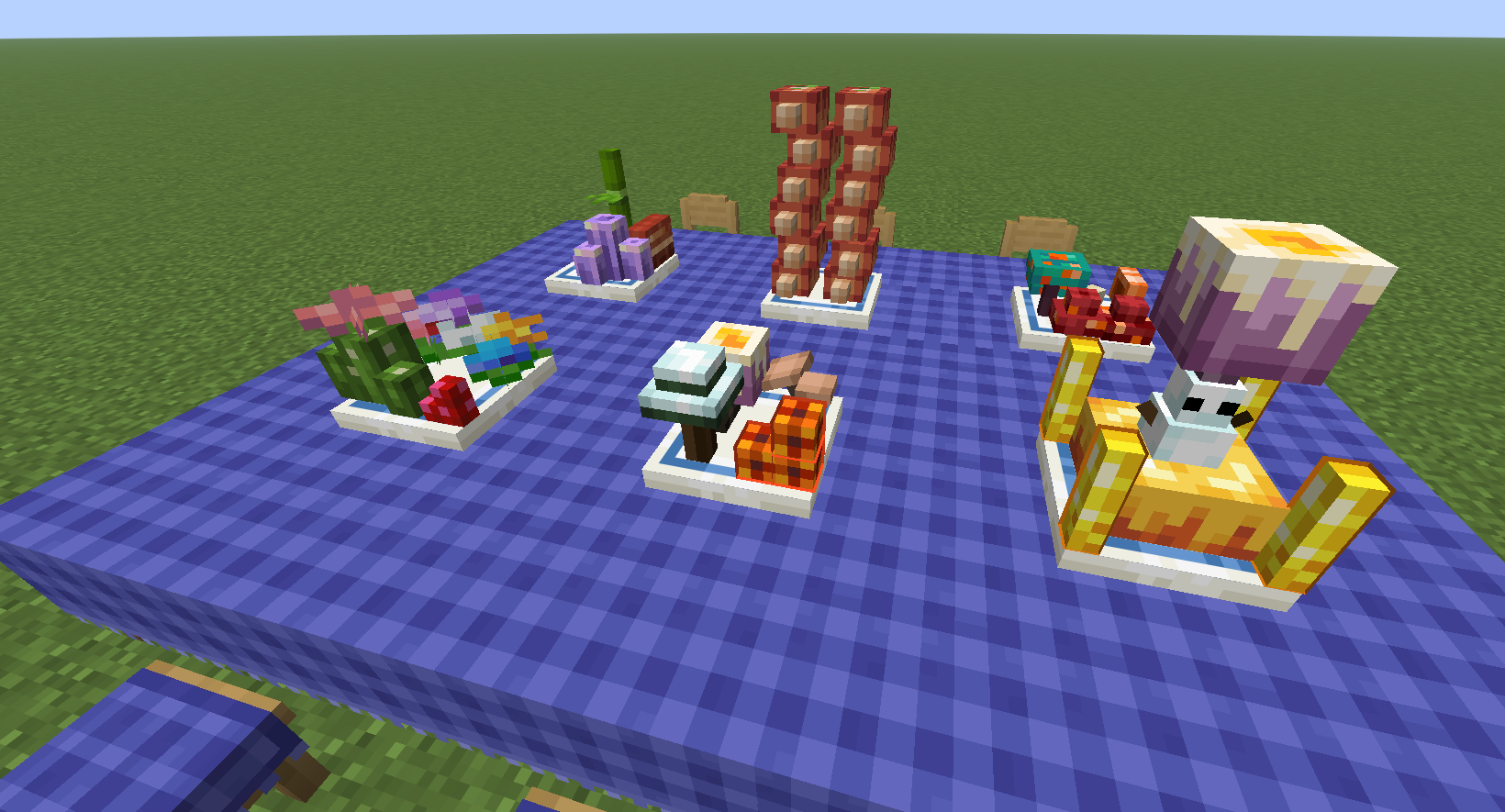
Kaleidoscope: Hodgepodge is an add-on for Kaleidoscope: Cookery that lets you take dishes apart and rearrange their ingredients into your own meals.
Collect ingredient models with Wrapping Bags, place them freely on plates and soup bowls, rotate each piece, and keep the finished arrangement when you pick it back up.
Requirements
- Forge Config API
- Kaleidoscope: Cookery
- Java 25 or newer
Getting Ingredients
The Wrapping Bag has two modes. Hold Shift and right-click to switch between them.
Storage Mode
- Right-click a complete, untouched dish to pack all of its available ingredient models. The original dish is consumed.
- A dish that has already been eaten cannot be packed.
- A complete vanilla Cake can also be packed as one large ingredient model. A cake with any slices missing cannot be packed.
- Stackable foods provide one ingredient at a time.
- Right-click an individual ingredient on a custom plate or bowl to return only that ingredient to the bag.
- Each bag holds up to 9 ingredient models.
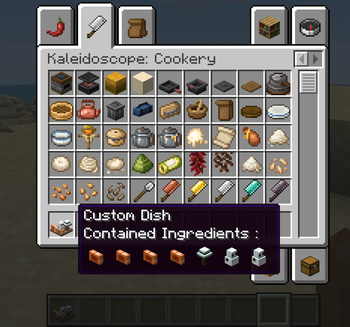
The bag tooltip shows its current mode, contained ingredients, and their source dish or dishes. Filled and empty bags also use different item appearances.
In Creative Mode, the Kaleidoscope: Packs tab contains a pre-filled Wrapping Bag for every currently supported ingredient model.
Creating a Custom Dish
Place any supported plate or a Porcelain Soup Bowl, then switch a filled Wrapping Bag to Placement Mode.
- Right-click a plate or bowl to place the next ingredient from the bag.
- Left-click the container while holding the bag to rotate the next ingredient clockwise by 90 degrees.
- A black outline previews the ingredient's size and position.
- A dark blue outline shows the available placement area.
- Existing ingredients have their own physical size, so aiming at a top or side places new ingredients around them instead of through them.
- Ingredients that do not suit the selected plate or soup bowl cannot be placed there.
An empty bag in Placement Mode will not change the container and will display a reminder.
Plates and Bowls
| Container | Maximum ingredients | Placement space (width x height x depth) |
|---|---|---|
| Wooden Plate | 20 | 16 x 16 x 16 pixels |
| Porcelain Plate | 40 | 16 x 32 x 16 pixels |
| Medium Porcelain Plate | 80 | 32 x 32 x 16 pixels |
| Large Porcelain Plate | 360 | 42 x 32 x 42 pixels |
| Porcelain Soup Bowl | 40 | 16 x 32 x 16 pixels |
Wooden plates offer a compact arrangement area. Porcelain containers provide twice the vertical space for taller and more elaborate compositions.
The Medium Porcelain Plate occupies two adjacent blocks. The Large Porcelain Plate occupies a 3 x 3 area and is placed around the block you target; placement fails if any part of that area is obstructed. Their ingredient spaces are continuous across block boundaries, so models can be positioned across the seams instead of being confined to one block at a time.
Both multi-block plates can be waterlogged. Breaking or clearing the structure restores water independently in every part that contained it.
Soup Base
A newly crafted Porcelain Soup Bowl includes a soup base. Finishing a custom soup consumes both its ingredients and the soup base, leaving a bowl without soup.
Place that bowl in the world and right-click it with Pork Bone Soup from Kaleidoscope: Cookery to refill the soup base. The Pork Bone Soup is consumed and returns a regular Minecraft Bowl.
Carrying Your Creations
Breaking a plate or bowl that contains ingredients preserves the complete arrangement on the dropped item. Placing it again restores every ingredient, position, and rotation.
Empty containers drop normally in Survival Mode. In Creative Mode, only containers holding a custom arrangement are preserved as drops.
Lunch Box
Right-click a Lunch Box to open its 3 x 3 inventory. It can hold up to 9 Wrapping Bags, including empty bags, so ingredient collections can be carried together without filling the main inventory.
Eating Custom Dishes
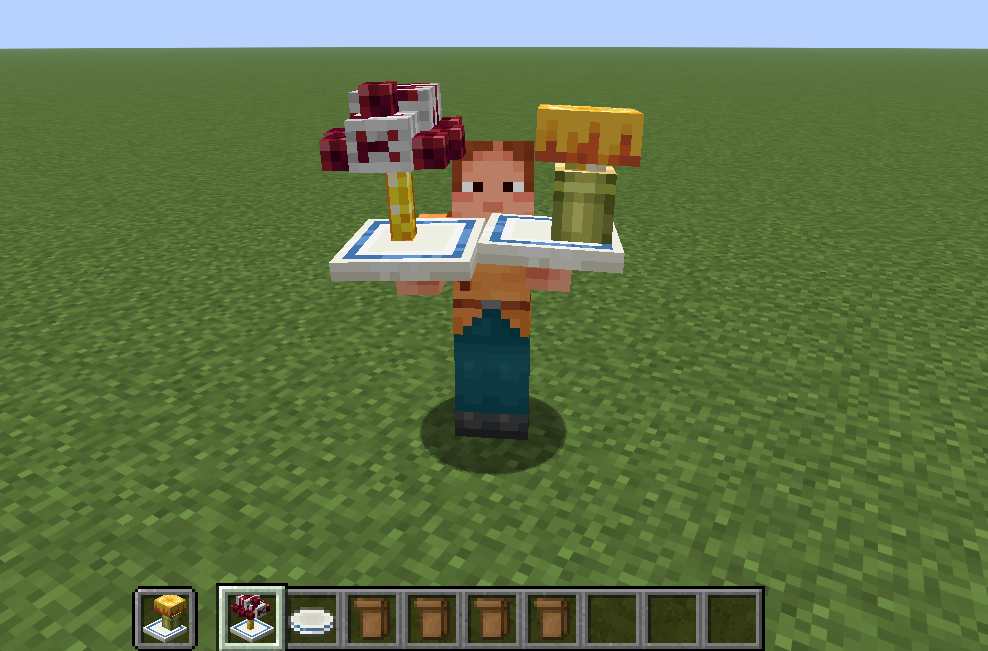
- Hold a customized plate or bowl and use it in the air to eat the whole dish. Nutrition, saturation, and status effects from every ingredient are combined, and the empty container is returned afterward.
- Right-click a placed custom dish with an empty hand to eat one random ingredient. The container is returned when the final ingredient is eaten.
- Decorative ingredients marked as non-nutritional provide no hunger, saturation, or status effects.
- Some large ingredient models represent several portions. Their hunger value is multiplied by the number of portions represented by the model.
请登录后举报
请 登录 后赞助作者。
暂无评论,抢个沙发吧~