
Sign Builder
作者:rebot | 分类:模组
Minecraft 版本: 1.20.1
平台: fabric
标签: decoration library utility
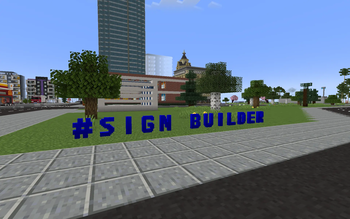
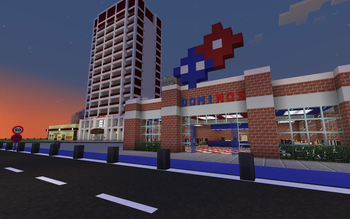
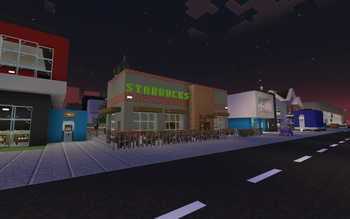
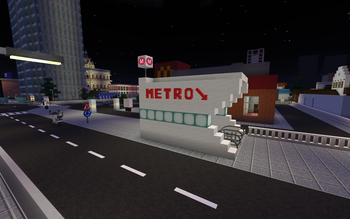
Sign Builder Mod 🎨
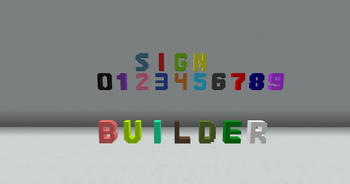
Sign Builder is a cross-platform Minecraft mod (Forge & Fabric) that allows players to seamlessly build, color, animate, and now materialize custom 3D signs. Fully balanced for Survival mode, this mod provides highly detailed characters, automated building tools, a dynamic painting system, advanced glowing neon mechanics, a dedicated Sign Press machine, and an expansive Dynamic Material System!
⚠️ IMPORTANT: Architectury API is now a required dependency to run this mod on both Forge and Fabric! (Fabric users also need the Fabric API).
✨ Features
- Dynamic Material System (NEW!): Signs are no longer just concrete! Seamlessly integrate different base materials (currently supporting all wood types, Iron Block, and Polished Andesite).
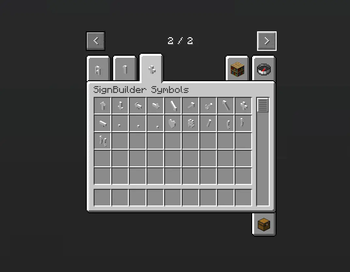
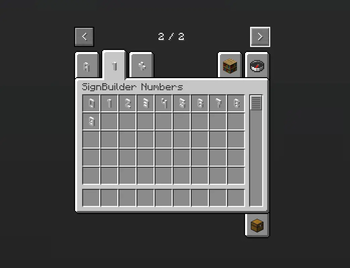
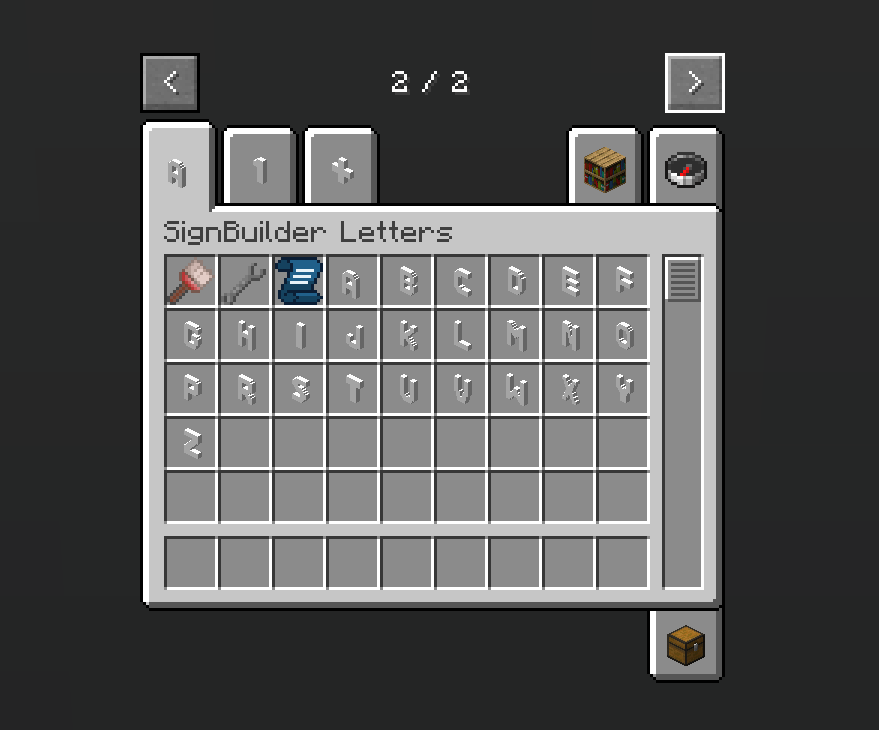
- 3D Letters, Numbers & Symbols: Highly detailed, custom-modeled letters (A-Z), numbers (0-9), and an extensive set of symbols. All blocks feature refined hitboxes that adjust perfectly on floors or walls.
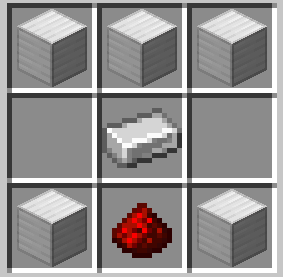
- The Sign Press: Your dedicated workstation for crafting all sign blocks. It is fully compatible with hoppers, allowing you to easily automate the input of raw materials and the output of crafted signs!
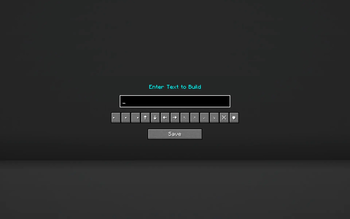
- The Blueprint & Undo: Say goodbye to placing blocks one by one. Type your text in the custom GUI and watch the mod build it instantly. Made a typo? Use the red Undo button to safely remove your last placed text and refund your materials.
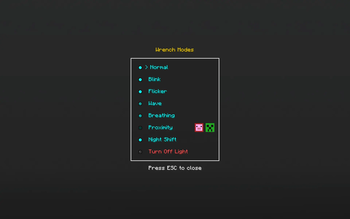
- The Wrench & Neon Lights: Turn any sign into a living, flowing neon display! Apply 7 distinct light modes: Normal, Blink, Flicker, Wave, Breathing, Proximity, and Night Shift.
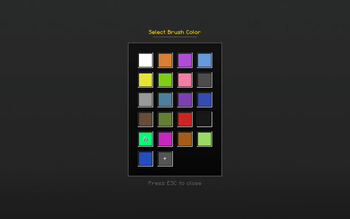
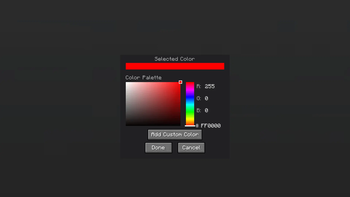
- Paint Brush & Custom Palette: Go beyond the vanilla palette by mixing your own RGB/Hex codes. Save up to 14 custom colors or use the animated Rainbow Mode for a continuously cycling color effect.
- Smart Fill & Eyedropper: Sneak (Shift) + Right-Click the air to toggle "Smart Fill", now featuring intuitive green and red circular visual indicators on your HUD. This allows you to paint or animate entire connected words with a single click instantly thanks to optimistic client-side rendering.
- Advancements: A brand-new advancement system featuring unique challenges to guide and reward your sign-building journey.
- Global Localization: Fully translated into 8 languages (EN, TR, RU, ES, ZH, DE, FR, IT).
🛠️ How to Use
🏗️ Crafting & Building:
- Craft a Sign Press to manufacture your desired letters, numbers, and symbols.
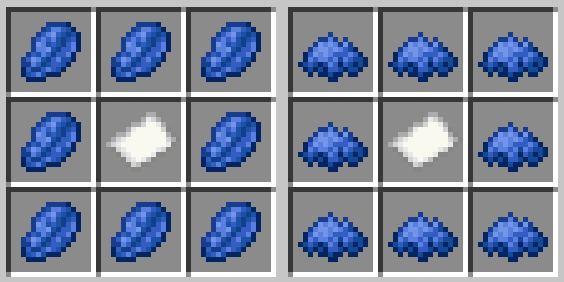
- Grab a Sign Blueprint, right-click in the air, and type your desired word in the menu.
- Right-click on any surface to build the text block-by-block using materials from your inventory.
Tip: Use the Undo button in the Blueprint menu to quickly revert mistakes!
🎨 Painting & Materializing:
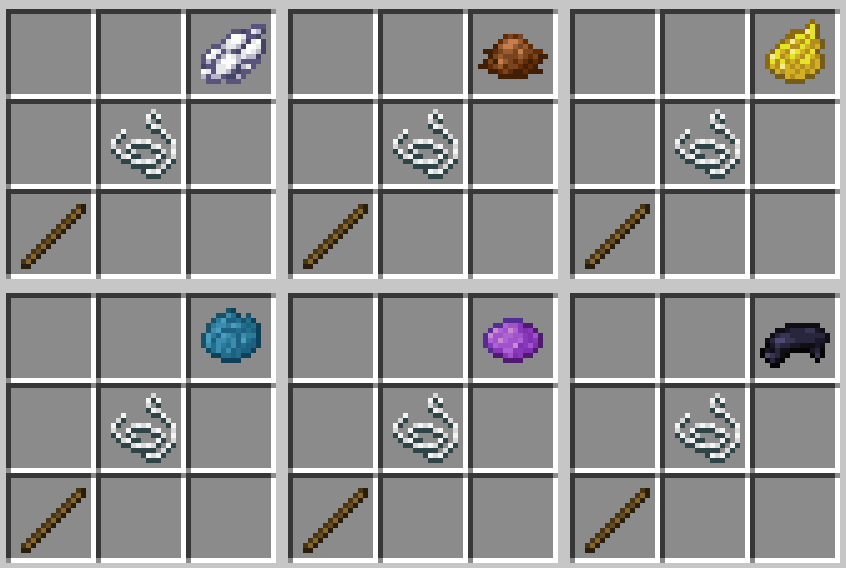
- Grab a Paint Brush and right-click in the air to open the Color Menu.
- Choose a preset, mix a custom Hex color, or select Rainbow Mode.
- Right-click on any SignBuilder block to apply the color.
💡 Illuminating:
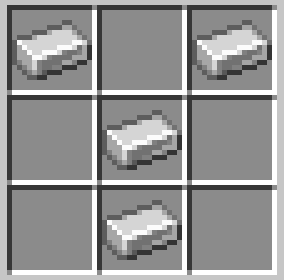
- Grab the Wrench and right-click in the air to select an animation mode.
- Right-click on any SignBuilder block to apply the animation.
Tip: Enable Smart Fill Mode to animate or paint entire words at once safely!
🎒 Survival Mode & Crafting Guide
Sign Builder is perfectly balanced for your Survival worlds with realistic loot logic!
- Dynamic Loot Drops: Breaking a sign normally now dynamically drops its constituent parts: 3x White Concrete, 1x Base Material Item (e.g., Oak Planks, Iron Block), and 1x Glowstone Dust (if it was glowing).
- Silk Touch Persistence: Mining a sign with a Silk Touch tool now flawlessly retains all custom NBT data (color, material, glowing state, and wrench configurations) directly on the dropped item, allowing exact redeployment!
- Blueprint Economy: The Blueprint consumes exact letter blocks directly from your inventory. Tools consume durability upon use.
Crafting Recipes
1. Sign Press
2. Sign Blueprint
3. Paint Brush
4. Wrench
👨💻 Author
Boran Mandacı
Created with Java, Architectury API, Forge, Fabric, and Blockbench.
请登录后举报
请 登录 后赞助作者。
暂无评论,抢个沙发吧~