
CC:Gamepad
作者:rebot | 分类:模组
Minecraft 版本: 1.21.1
平台: neoforge
标签: technology utility
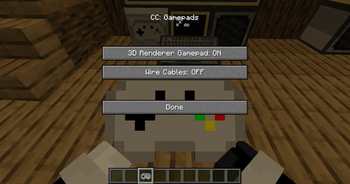
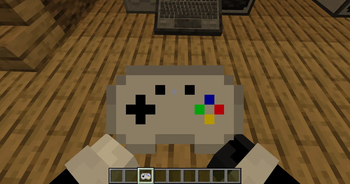
CC: Gamepads adds a CC:Tweaked peripheral block which lets ComputerCraft computers read real gamepad/controller input from players.
The controller is read on the player client, sent to the server, and exposed to Lua through a bound Gamepad Peripheral. This works in singleplayer, LAN, and dedicated multiplayer servers.
Requirements
Minecraft 1.21.1
NeoForge 21.1.x
CC:Tweaked 1.117.1
How To Use
Place a Gamepad Peripheral block next to, or connected by modem to, a CC:Tweaked computer.
Hold a Gamepad item.
Sneak-right-click the Gamepad Peripheral with the Gamepad item to bind it.
Keep the bound Gamepad item in your main hand or off hand.
Plug in/connect with bluetooth your/a controller and run Lua code on the computer.
Up to 4 players can send input to the same Gamepad Peripheral at once. Each player gets a slot from 1 to 4.
Lua Peripheral
Wrap the peripheral like any other CC:Tweaked peripheral:
local pad = peripheral.find("gamepad")
Functions
getPlayers()
Returns a list of connected controller states.
Each entry includes:
slot: player slot, 1 to 4
player: player name
playerId: player UUID
controllerId: client controller id
controllerName: controller name
guid: controller GUID
buttons: numbered button table
buttonNames: named button table
axes: numbered axis table
axisNames: named axis table
updatedAt: server timestamp
getState(slot)
Returns the full state table for one slot.
Throws an error if no controller is bound to that slot.
isDown(slot, button)
Returns true if a numbered button is held.
Buttons:
A
B
X
Y
Left bumper
Right bumper
Back/select
Start
Guide/home
Left stick
Right stick
D-pad up
D-pad right
D-pad down
D-pad left
isButtonDown(slot, name)
Returns true if a named button is held.
Names:
a b x y
leftBumper rightBumper
back select start guide home
leftStick rightStick
dpadUp dpadRight dpadDown dpadLeft
getAxis(slot, axis)
Returns a numbered axis value.
Axes:
Left X, -1 to 1
Left Y, -1 to 1
Right X, -1 to 1
Right Y, -1 to 1
Left trigger, 0 to 1
Right trigger, 0 to 1
getAxisValue(slot, name)
Returns a named axis value.
Names:
leftX leftY rightX rightY leftTrigger rightTrigger
getMaxPlayers()
Returns 4.
getButtonCount()
Returns 15.
getAxisCount()
Returns 6.
Events
When controller state changes, attached computers receive:
cc_events, "gamepad", slot, playerName, controllerId
Example:
local event, kind, slot, player, controllerId = os.pullEvent("cc_events")
if kind == "gamepad" then
print(player .. " updated slot " .. slot)
end
Example Lua Program
This prints basic state for slot 1 and exits when Start is pressed.
local pad = peripheral.find("gamepad")
if not pad then
error("No gamepad peripheral found")
end
print("Waiting for gamepad input...")
while true do
local event, kind, slot, player = os.pullEvent("cc_events")
if kind == "gamepad" and slot == 1 then
local lx = pad.getAxisValue(1, "leftX")
local ly = pad.getAxisValue(1, "leftY")
local a = pad.isButtonDown(1, "a")
local b = pad.isButtonDown(1, "b")
term.clear()
term.setCursorPos(1, 1)
print("Player: " .. player)
print(("Left stick: %.2f %.2f"):format(lx, ly))
print("A: " .. tostring(a))
print("B: " .. tostring(b))
print("Start exits")

if pad.isButtonDown(1, "start") then
  break
end
end
end
Multiplayer Notes
Controller input is only accepted from the player who sent it.
The player must be holding a Gamepad item bound to the target peripheral.
Controller IDs and GUIDs are verified server-side.
Packet sizes, string lengths, button counts, axis counts, and axis values are validated before the state is accepted.
Player state is cleared when they disconnect or when their controller list changes.请登录后举报
请 登录 后赞助作者。
暂无评论,抢个沙发吧~