
Locator Bar (< 1.21.6)
作者:rebot | 分类:模组
Minecraft 版本: 1.16.5 1.17 1.17.1 1.18 1.18.1 1.18.2 1.19 1.19.1 1.19.2 1.19.3 1.19.4 1.20 1.20.1 1.20.2 1.20.3 1.20.4 1.20.5 1.20.6 1.21 1.21.1 1.21.2 1.21.3 1.21.4 1.21.5
平台: bukkit paper purpur spigot
标签: game-mechanics utility
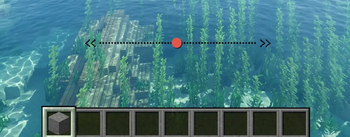
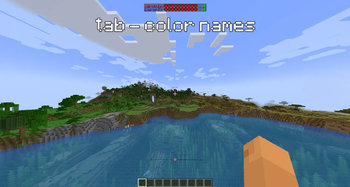
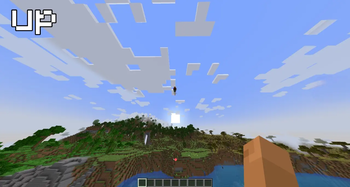
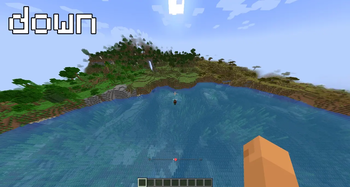
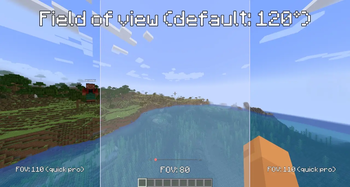


Brings the 1.21.6 Locator Bar feature to Paper 1.16.5–1.21.5. Shows nearby players on your Action Bar with real-time directional tracking. No client-side mods required.
How it works
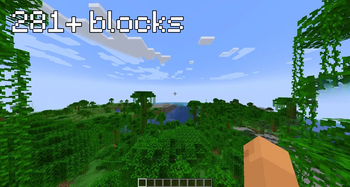
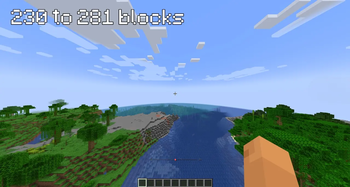
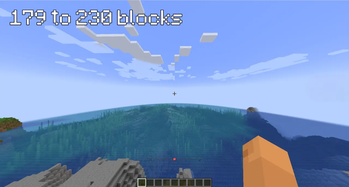
A bar appears above your hotbar showing the position of nearby players. Icons change based on distance:
- ⬤ — Close (0–179 blocks)
- ■ — Medium (179–230 blocks)
- ● — Far (230–281 blocks)
- • — Very far (281+ blocks)
Vertical arrows (ꜛ ꜜ) indicate when a player is above or below you. Each player is assigned a unique color for easy identification, which also appears in the tab list.
Hiding from the bar
Players are hidden from the Locator Bar when:
- Sneaking
- Under Invisibility effect
- Wearing a mob head or carved pumpkin
- `/locatorbar` — Toggle the bar on/off - `/locatorbar on` — Enable - `/locatorbar off` — Disable - `/locatorbar reload` — Reload config Configuration
All settings are customizable in `config.yml`: - `update-interval` — Refresh rate in ticks (default: 1) - `fov-degrees` — Field of view (default: 120°) - `bar-width` — Width of the bar in characters (default: 51) - `max-range` — Maximum tracking distance (0 = unlimited) - `distance-thresholds` — Customize icon distance breakpoints - `very-far-icon` — Custom icon for max distance - `show-vertical-arrows` — Toggle vertical arrows - `vertical-threshold` — Height difference to show arrows (default: 10) - `color-tab-names` — Color player names in tab list (default: true) - `hide-sneaking`, `hide-invisible`, `hide-masked` — Toggle hiding conditions
请登录后举报
请 登录 后赞助作者。
暂无评论,抢个沙发吧~