
Structures
作者:rebot | 分类:模组
Minecraft 版本: 1.21 1.21.1 1.21.2 1.21.3 1.21.4 1.21.5 1.21.6 1.21.7 1.21.8 1.21.9 1.21.10 1.21.11 26.1 26.1.1 26.1.2 26.2
平台: bukkit paper purpur spigot
标签: decoration management utility
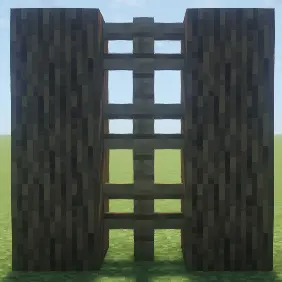
Structures
A packet-based structure system for Minecraft, powered by PacketBlocks.
Structures lets you create, manage, and display packet-based builds that can be shown or hidden for specific players. All without changing the actual world!
Features
- Create Packet-Based Structures — Build entirely virtual structures that exist only as packets.
- Per-Player Visibility — Show or hide structures for individual players on demand.
- Instant Updates — No world edits or block updates, everything is rendered client-side!
- Custom Animations — Add show/hide animations to structures for smooth transitions.
- In-Game Editor — Build structures block-by-block using an intuitive edit mode.
- Copy & Duplicate — Clone existing structures and paste them anywhere with automatic rotation.
- Integration Ready — Perfect for developers wanting to display custom visuals, events, or world overlays.
Example Uses
- Show private or team-only structures.
- Create holographic arenas, minigame visuals, or build previews.
- Display world regions, borders, or effects visible to certain players only.
- Build dynamic event structures that appear and disappear with animations.
- Preview builds before placing them in the real world.
Requirements
- Minecraft: 1.21+ (Paper/Purpur recommended)
- Dependency: PacketEvents
- Dependency: PacketBlocks
Commands
/structure help— View all available commands./structure reload— Reload configuration and structures./structure info— Get the structure ID of a block you're looking at./structure edit <id>— Create or edit a structure (place/break blocks to add/remove)./structure delete <id>— Delete a structure./structure view <id> [player]— Toggle structure visibility for yourself or a specific player./structure copy <id> <new id>— Copy a structure to the block you're looking at (auto-rotates based on your direction)./structure animation <id> <show/hide> <animation id>— Set show/hide animations for a structure.
Configuration
Structures includes a fully customizable config with:
- Custom prefix with gradient color support
- Localized messages for all commands and feedback
- Action bar notifications when editing structures
- Animation support for smooth structure transitions
All messages and colors can be modified in config.yml.
How to Use
-
Create a structure:
/structure edit mystructure— Start editing mode.
Place blocks to add them, break blocks to remove them.
Run the command again to save. -
Show to a player:
/structure view mystructure playerName— Toggle visibility. -
Copy a structure:
Look at a block, then:
/structure copy mystructure mystructure_copy— Creates a rotated copy based on your facing direction. -
Add animations:
/structure animation mystructure show block_particle— Structure shows block particles when shown.
Built for server owners, developers, and builders who want full control over player-specific visuals.
请登录后举报
暂无评论,抢个沙发吧~