
TC Destinations
作者:rebot | 分类:模组
Minecraft 版本: 1.17 1.17.1 1.18 1.18.1 1.18.2 1.19 1.19.1 1.19.2 1.19.3
平台: paper purpur spigot
标签: management transportation utility
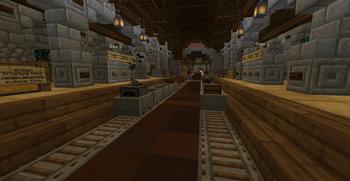
TC-Destinations
Requires: TrainCarts, CTCommons and a MySQL-Database
Java-Version: 17 or above
Minecraft-Version: 1.17.1 or above
TC-Destinations is a plugin for Minecraft servers using SpigotMC, PaperMC or forks of these projects.
It serves as an add-on for the TrainCarts plugin and comes along with a bunch of features to manage destinations in a more advanced way.
It is very lightweight as database queries and network connections run completely asynchronously.
This plugin was developed for the CraftTogetherMC Minecraft server, see also: TC-Portals!
A big thank you and lots of love go out to TeamBergerhealer
Also, a lot of appreciation goes to the people behind Cloud and Adventure!
Dev-Builds: See here
Features:
- Fancy paginated list of destinations (Works cross-server in a BungeeCord network)
- Manage your destinations in a more advanced way
- Teleport to your destinations
- Set up multiple enter-messages with clickable texts using MiniMessage
- Dynmap integration (A marker is created on the map for each destination)
- Commands to get mobs on/off train(s).
- All root-commands renameable
- All texts can be customized
Choose your destination with /destination

Clickable paginated list of all your saved destinations /destinations


Set up multiple customized enter-messages (enterMessages.yml)

Commands & Permissions:
Select a Destination
| Command | Permission | Description |
|---|---|---|
/destination |
craftbahn.command.destination | Shows basic information about using the command |
/destination <name> |
craftbahn.command.destination | Sets the specified destination to the currently selected train |
/destinations [type] |
craftbahn.command.destinations | Shows a list of all destinations |
/destinations [type] [filter] |
craftbahn.command.destinations.filter | Shows a filtered list of all destinations Filter flags: --server --player |
Manage your destinations
| Command | Permissions | Description |
|---|---|---|
/destedit info <destination> [server] |
craftbahn.command.destedit.info | Displays detailed information about the specified destination |
/destedit tp <destination> [server] |
craftbahn.command.destedit.teleport | Teleports the player to the specified destination |
/destedit add <destination> <type> |
craftbahn.command.destedit.add | Adds a new destination with the specified station type |
/destedit remove <destination> [server] |
craftbahn.command.destedit.remove | Removes an existing destination |
/destedit addmember <destination> <player> [server] |
craftbahn.command.destedit.addmember | Adds a secondary owner to the specified destination |
/destedit removemember <destination> <player> [server] |
craftbahn.command.destedit.removemember | Removes a secondary owner of the specified destination |
/destedit settype <destination> <player> [server] |
craftbahn.command.destedit.settype | Specifies the type of specified destination |
/destedit setowner <destination> <player> [server] |
craftbahn.command.destedit.setowner | Sets the owner of a destination |
/destedit setprivate <destination> <player> [server] |
craftbahn.command.destedit.setprivate | Specifies that this target is private. Only players with permission craftbahn.destination.see.private can use and see it |
/destedit setpublic <destination> <player> [server] |
craftbahn.command.destedit.setpublic | Sets this game to be viewable by all players. (This is the default setting for newly created destinations) |
/destedit setwarp <destination> <player> [server] |
craftbahn.command.destedit.setwarp | Sets the teleport point of this target for players |
/destedit setlocation <destination> <player> [server] |
craftbahn.command.destedit.setlocation | Specifies the position of the destination (Mainly used to locate dynmap markers) |
/destedit updatemarker <destination> <player> [server] |
craftbahn.command.destedit.updatemarker | Renews all markers to be displayed on the dynmap |
Additional commands
| Command | Permission | Description |
|---|---|---|
/mobenter [radius] |
craftbahn.command.mobenter | Allows animals around the selected train to board the train |
/mobeject |
craftbahn.command.mobeject | Ejects all animals from the selected train |
Pathfinding across servers (BungeeCord)
If you're using TC-Portals to create cross-server portals, with a little extra work,
it is possible to reach destinations on another server.
For example, if you want to drive from server1 to a destination on server2,
you need to create a destination on server1 that leads to the portal, which leads to server2.
Let's name it server2 as well.
If you now run /destination to set a destination, for your train and the destination is
on another server, TC-Destinations will create a route for the train.
The route then firstly contain the destination: server2 and then afterwards,
the destination you want to reach.
Thats it!
F.A.Q
Can I use this plugin without Bungeecord? Yes you can. I don't want other servers' destinations to be listed. What can I do? Just use separate databases or table-prefixes for each serverLibraries used
- CTCommons (CraftTogether's plugin library)
- BKCommonLib (Extensive plugin library)
- Adventure (Very neat UI-Framework for Bukkit/Bungeecord and more)
- MiniMessage (Text format to represent chat components)
- Cloud (Command Framework)
- HikariCP (High-performance, JDBC connection pool)
- MariaDB Connector/J (JDBC-Driver)
请登录后举报
请 登录 后赞助作者。
暂无评论,抢个沙发吧~