
AbilityItemsAPI
作者:rebot | 分类:模组
Minecraft 版本: 1.7.10 1.8 1.8.1 1.8.2 1.8.3 1.8.4 1.8.5 1.8.6 1.8.7 1.8.8 1.8.9 1.9 1.9.1 1.9.2 1.9.3 1.9.4 1.10 1.10.1 1.10.2 1.11 1.11.1 1.11.2 1.12 1.12.1 1.12.2 1.13 1.13.1 1.13.2 1.14 1.14.1 1.14.2 1.14.3 1.14.4 1.15 1.15.1 1.15.2 1.16 1.16.1 1.16.2 1.16.3 1.16.4 1.16.5 1.17 1.17.1 1.18 1.18.1 1.18.2 1.19 1.19.1 1.19.2 1.19.3 1.19.4 1.20 1.20.1 1.20.2 1.20.3 1.20.4 1.20.5 1.20.6 1.21 1.21.1
平台: bukkit paper purpur spigot
标签: library magic utility
This plugin makes it easier for developers to make abilities for items.
Import the API
To import the API, you can either use Maven or Gradle. Here's how
<repository>
  <id>synkdev-repo-releases</id>
  <name>SynkDev Repository</name>
  <url>https://maven.synkdev.cc/releases</url>
</repository>

<dependency>
  <groupId>cc.synkdev</groupId>
  <artifactId>AbilityitemsAPI</artifactId>
  <version>1.2</version>
  <scope>provided</scope>
</dependency>
Using Maven
maven {
    url "https://maven.synkdev.cc/releases"
}

implementation "cc.synkdev:AbilityitemsAPI:1.2"
Using Gradle
Create your items
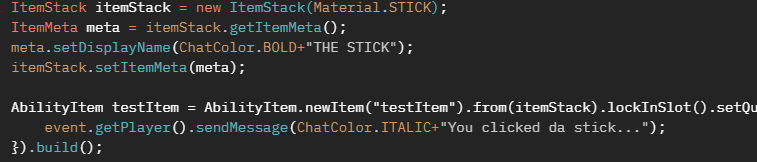
Creating an item is very straightforward. Here's some code for example
ItemStack itemStack = new ItemStack(Material.STICK);
ItemMeta meta = itemStack.getItemMeta();
meta.setDisplayName(ChatColor.BOLD+"THE STICK");
itemStack.setItemMeta(meta);

AbilityItem testItem = AbilityItem.newItem("testItem").from(itemStack).lockInSlot().setQuantity(3).setClickEvent(event -> {
    event.getPlayer().sendMessage(ChatColor.ITALIC+"You clicked da stick...");
}).build();
This creates a stick named "THE STICK". When a player clicks it, they get the message "You clicked da stick" in the chat.
To give an item to a player, it's also very straightforward:
testItem.give(Bukkit.getPlayerExact("Notch"));For full documentation, visit the docs.
Here's the maven repository: https://maven.synkdev.cc/
请登录后举报
暂无评论,抢个沙发吧~