Warning: file_put_contents(/www/wwwroot/nmbt.106988770/cache/modrinth_versions_tCn6q8ix.json): Failed to open stream: Permission denied in /www/wwwroot/nmbt.106988770/resource_detail.php on line 53
Corpse: Refined - 墨喵 Minecraft 资源
Corpse: Refined 图标

Corpse: Refined

作者:rebot | 分类:模组

价格:0 墨喵币 下载量:0 点赞:0 版本 2.0.1
本资源为搬运资源,原资源地址: https://modrinth.com/mod/corpse-refined
资源信息

Minecraft 版本: 1.21.1

平台: neoforge

标签: adventure storage utility

资源介绍

Corpse: Refined

A quieter place to keep what you leave behind.

When you die, a corpse appears wearing your own skin and holding everything
you had on you. Recover it, and your gear finds its way back to you — no
digging through menus required.

Features

The corpse appears at your death location with your real player skin applied.
It holds everything you had — general items, armor, and your offhand item —
with no capacity limit.

Right-click the corpse to open it.
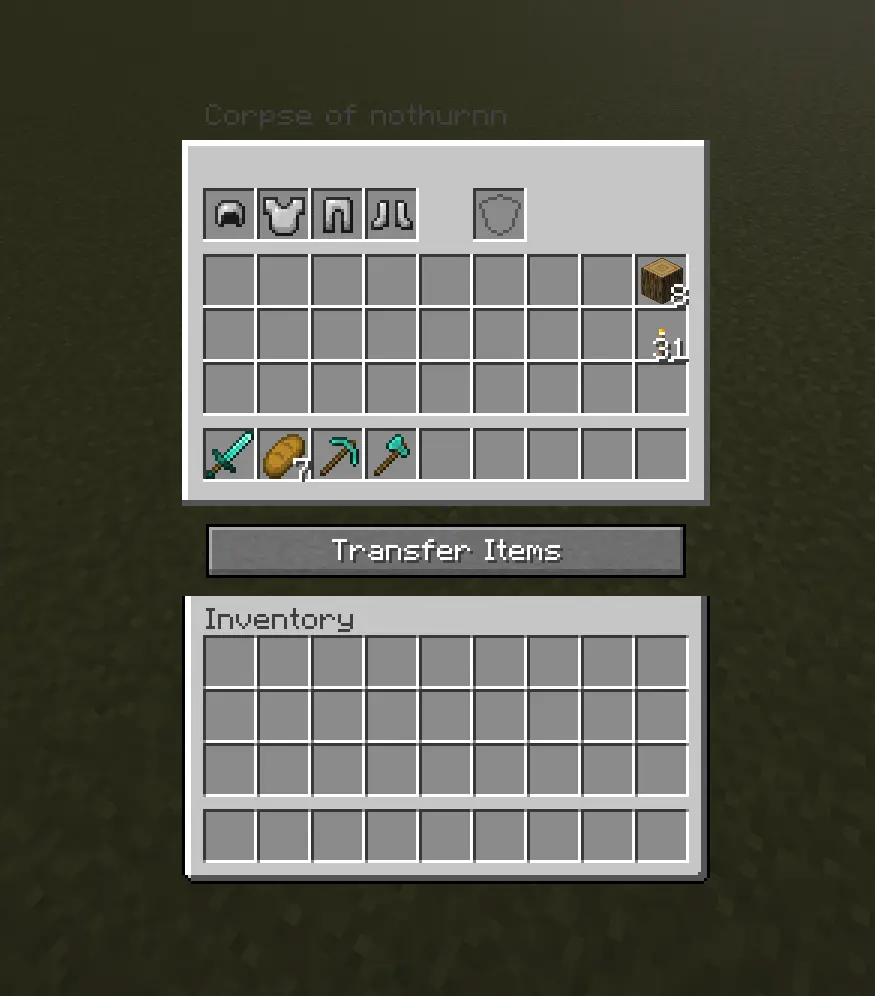
Screenshot of the Corpse: Refined inventory screen, titled "Corpse of nothurnn". The top row shows four armor slots (helmet, chestplate, leggings, boots) followed by a gap and a separate offhand slot. Below that is a 4-row storage grid holding a sword, a piece of bread, a pickaxe, an axe, a stack of wood, and a stack of gold nuggets, with the rest of the slots empty. A "Transfer Items" button sits below the storage grid, followed by the player's own empty inventory at the bottom.

When you recover your items, armor and your offhand piece re-equip themselves
automatically — but only into slots that are currently empty, so nothing
you're already wearing gets overwritten.
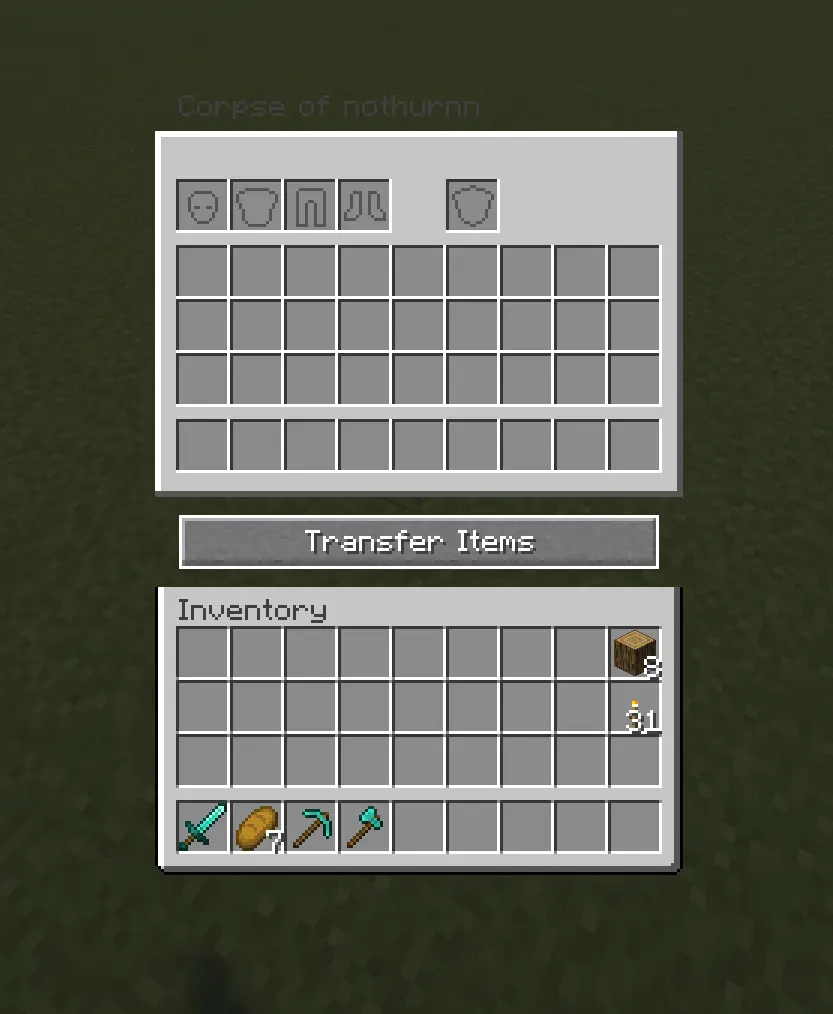
Screenshot of the Corpse: Refined inventory screen, titled "Corpse of nothurnn", shown while the corpse is empty. The top row shows four grayed-out placeholder icons for armor (helmet, chestplate, leggings, boots), a gap, and a separate grayed-out offhand slot. Below is an empty 4-row storage grid, a "Transfer Items" button, and the player's own inventory beneath it — mostly empty except a stack of 8 wood and a stack of 31 torches in the rightmost column, and a sword, 7 bread, a pickaxe, and an axe in the hotbar.

Corpses don't just disappear once emptied. A shroud slowly forms over the
body, holds, then gradually wears away to reveal a skeleton underneath — your
death site stays marked instead of vanishing.
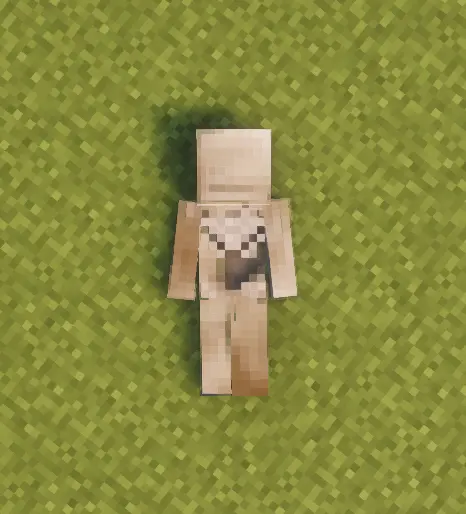
Top-down screenshot of a player corpse lying flat on grass, viewed from above. The body is oriented head-up, feet-down, lying face-up with arms spread slightly to the sides. The skin is a pale tan tone, with a lighter, whitish patch visible across the chest and upper abdomen — consistent with the early stage of the shroud forming over the body. A soft shadow is cast on the grass beneath the corpse.

Death History

Press C to view your past deaths — where, when, and what killed you.
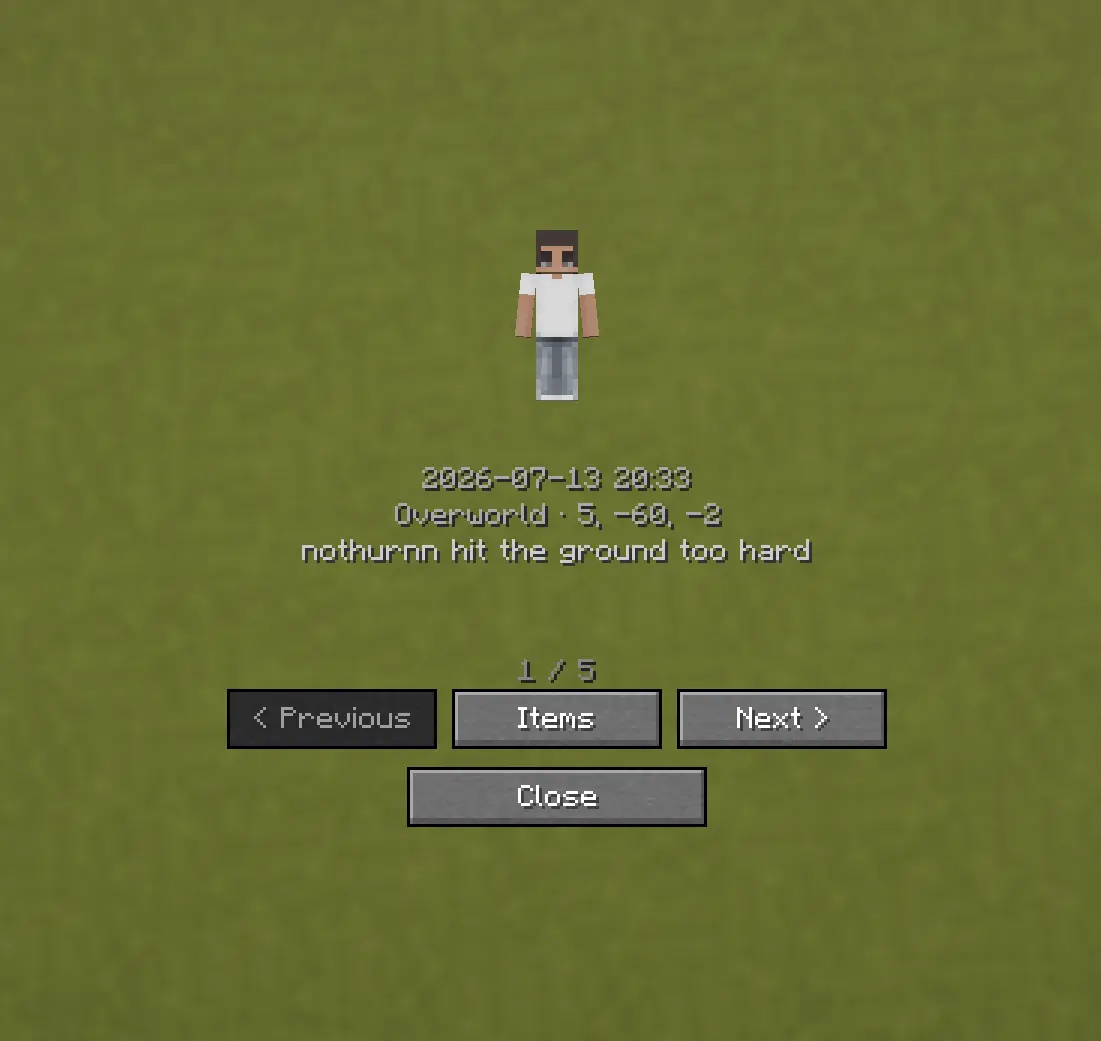
Screenshot of the Corpse: Refined Death History screen. It shows a default Steve-style skin preview, followed by the date and time "2026-07-13 20:33", the location "Overworld · 5, -60, -2", and the death cause "nothurnn hit the ground too hard". Below that, a page indicator reads "1 / 5", with Previous, Items, and Next buttons in one row, and a Close button beneath them.

Optional Features (Config Options)

  • How long the shroud takes to form (decay_ticks)
  • How long the shroud takes to wear away and reveal the skeleton
    (shroud_erosion_ticks)
  • Whether a forced hard despawn ever kicks in for very old corpses, and after
    how long (force_despawn_enabled, force_despawn_ticks) — disabled by
    default
  • [check PlayerCorpseConfig.java for anything else — e.g. owner-only access,
    lava/fire damage toggle — and add here if present]
下载与版本
评论(0)
请 登录 后发表评论。

暂无评论,抢个沙发吧~

举报此资源

请登录后举报

赞助作者

请 登录 后赞助作者。

🔥 相关推荐
What's In My Crate (WIMC)

价格:0 墨喵币
下载量:0

查看详情
Simple Crosshair

价格:0 墨喵币
下载量:0

查看详情
VillageHere

价格:0 墨喵币
下载量:0

查看详情
i made friends with the second prettiest girl in my class GUI

价格:0 墨喵币
下载量:0

查看详情