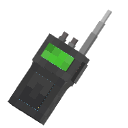
Walkie Talkie
作者:rebot | 分类:模组
Minecraft 版本: 1.21.11
平台: fabric
标签: equipment game-mechanics social
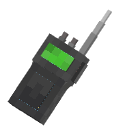
Walkie Talkie 
A Minecraft Fabric mod that adds functional walkie-talkies with real voice communication via Simple Voice Chat integration.
Features
- Real Voice Communication — talk to other players on the same frequency using Simple Voice Chat
- 16 Channels (1–16) — select any frequency through the in-game GUI
- ON/OFF Toggle — enable or disable your walkie-talkie at any time
- Radio Sound Effects — audio is processed with a radio effect (compression, noise); also supports distortion, echo, low-pass, and high-pass filters
- Fake Sound System — broadcast OGG audio files through a radio channel using commands
- Custom Sounds — power on/off clicks and ambient static noise play during transmissions
- Full Inventory Scanning — walkie-talkies in your inventory (not just hands) are detected and joined to channels
Items
| Item | Description |
|---|---|
| Walkie Talkie |
Standard working radio |
Beta Walkie Talkie  |
Alternative variant (functional) |
Broken Walkie Talkie  |
Non-functional decorative item |
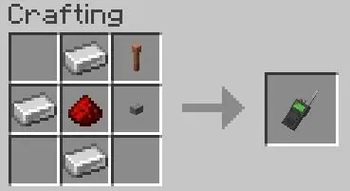
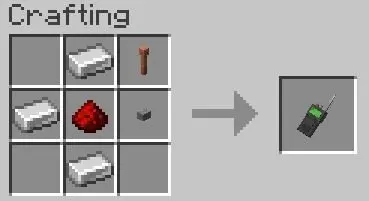
Crafting
Usage
Walkie Talkie
- Craft a Walkie Talkie
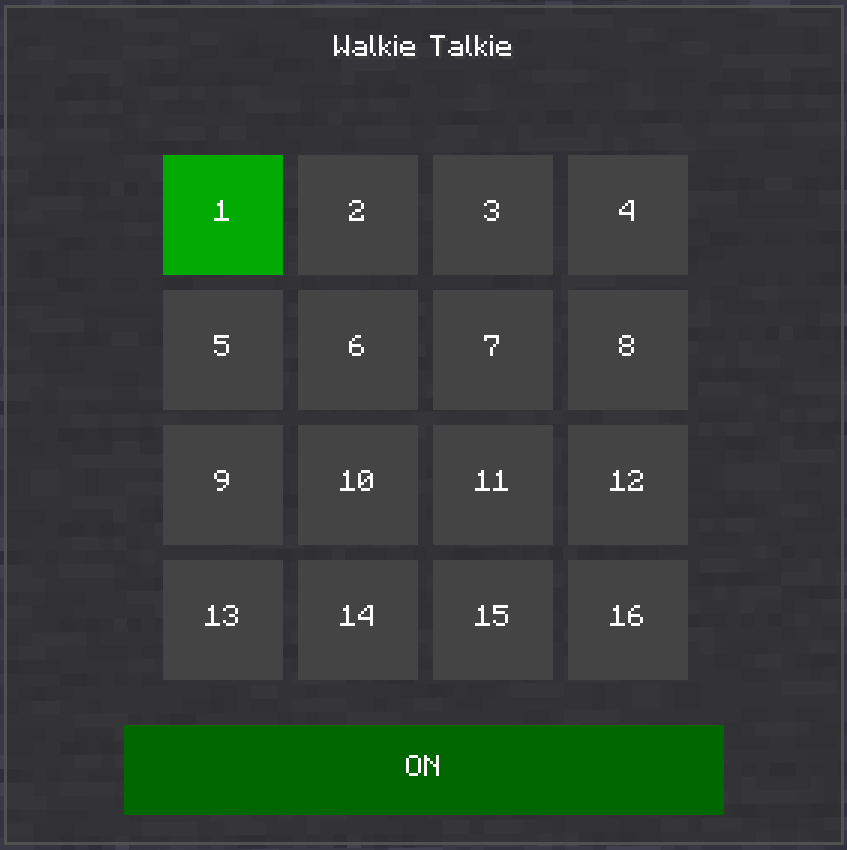
- Shift + right-click to open the frequency selector GUI
- Click a channel (1–16) to set your frequency
- Toggle ON/OFF with the button at the bottom of the GUI
- Hold right-click (PCM) with the walkie-talkie in hand to start transmitting
- Release to stop transmitting — other players on the same channel will hear you

Commands
| Command | Description |
|---|---|
/sw4wt soundeffect |
List all available sound effects |
/sw4wt soundeffect <effect> |
Set a sound effect (radio, distortion, echo, lowpass, highpass, none) |
/sw4wt fakesound <file> <frequency> |
Play an audio file on a specific frequency |
/sw4wt stopfakesound <frequency> |
Stop a fake sound on a specific frequency |
/sw4wt listfakesounds |
List all configured fake sounds |
/sw4wt reloadfakesounds |
Reload fake sound configuration |
Place .ogg files in config/sw4wt/fakesounds/.
Configuration
Config file: config/sw4wt/sw4wt-config.json
| Option | Type | Description |
|---|---|---|
effect |
string | Current radio effect (radio, distortion, echo, lowpass, highpass, none) |
fakeSounds |
object | Map of frequency → audio file name |
Requirements
- Minecraft 1.21.11
- Fabric Loader ≥0.18.4
- Fabric API
- Super GUI Lib
- Simple Voice Chat
请登录后举报
暂无评论,抢个沙发吧~