
Emerald Pouch
作者:rebot | 分类:模组
Minecraft 版本: 1.21.1
平台: fabric
标签: equipment storage utility
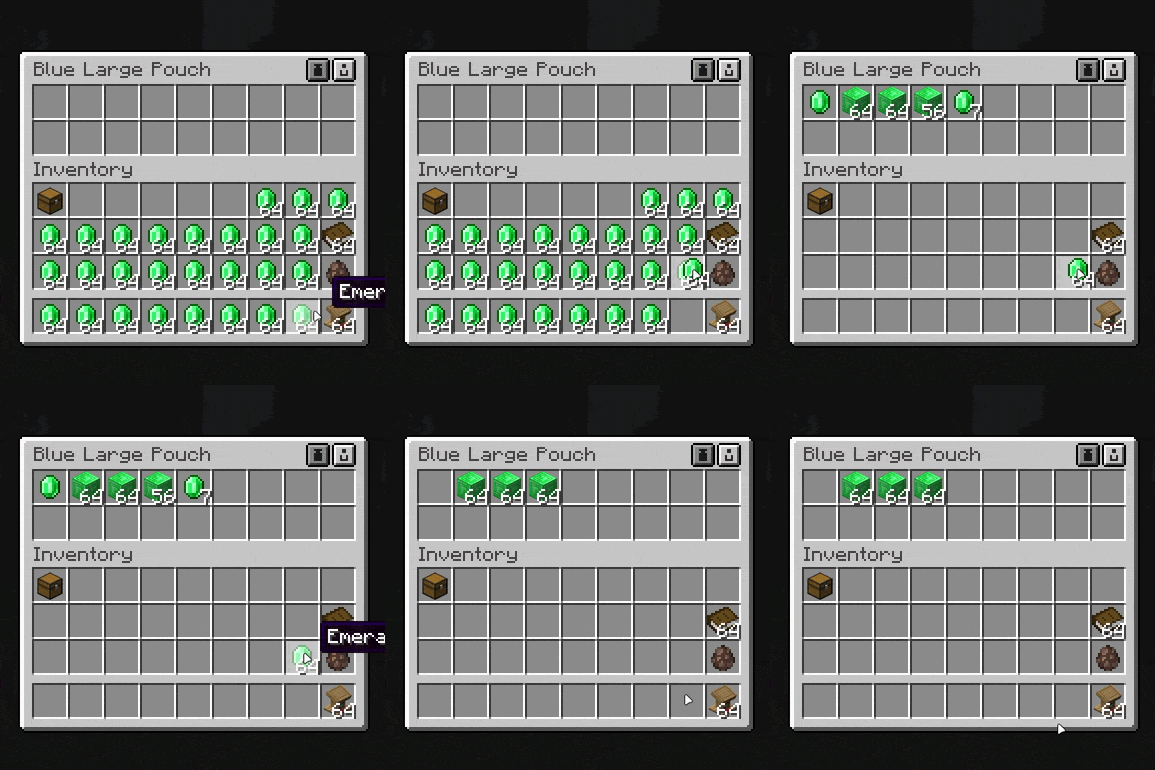
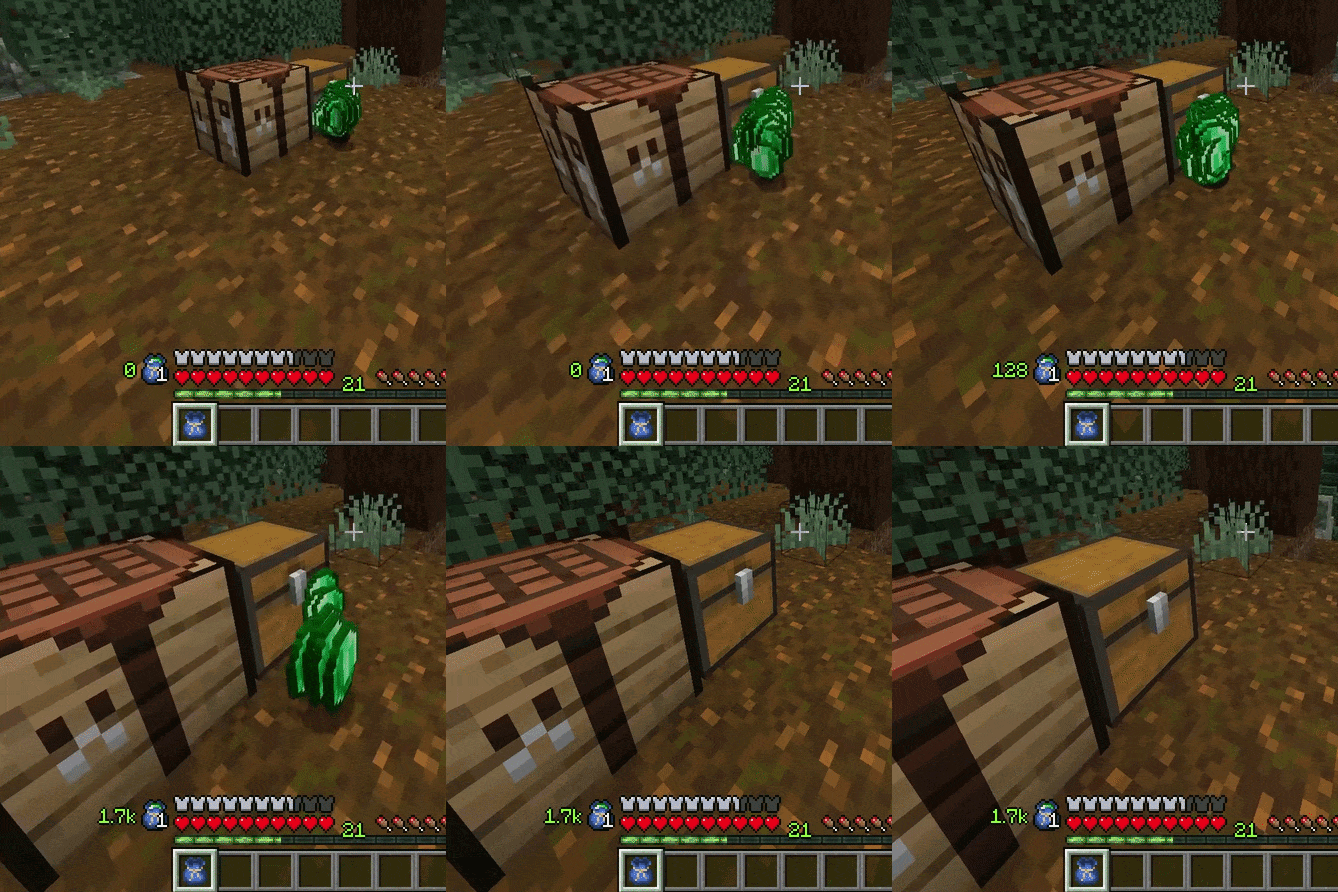










A clean way to store and manage your emeralds on the go.
Emerald Pouch adds two tiers of emerald storage pouches to help keep your inventory tidy. In many modpacks, loot tables can flood players with emeralds, and that clutter adds up fast.
The mod is designed to be simple, practical, and easy to drop into any pack.
- Store large amounts of emeralds inside a dedicated pouch
- Keep your inventory cleaner while still carrying your currency with you
- Open the first pouch in your inventory with a keybind for quick access
- Shift + Right-click a pouch in hand to open it directly
- Optionally compact emeralds automatically as they enter the pouch
- When auto-pickup is enabled, emeralds will prioritize filling the first pouch found, then continue to the next one
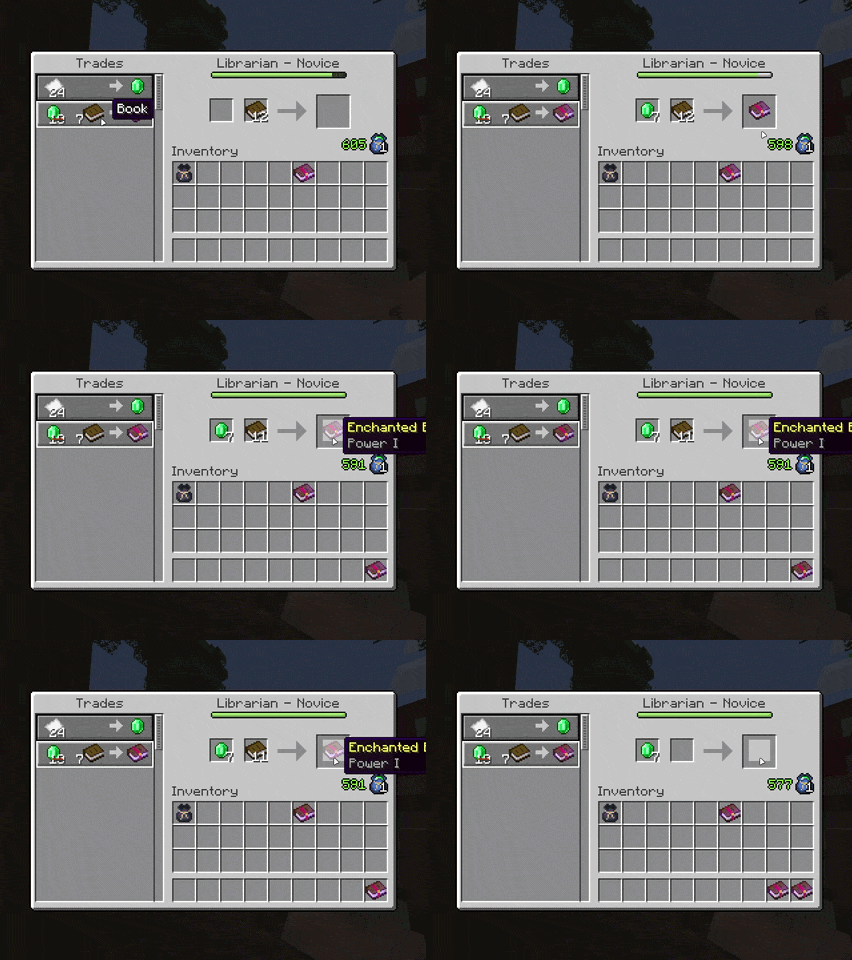
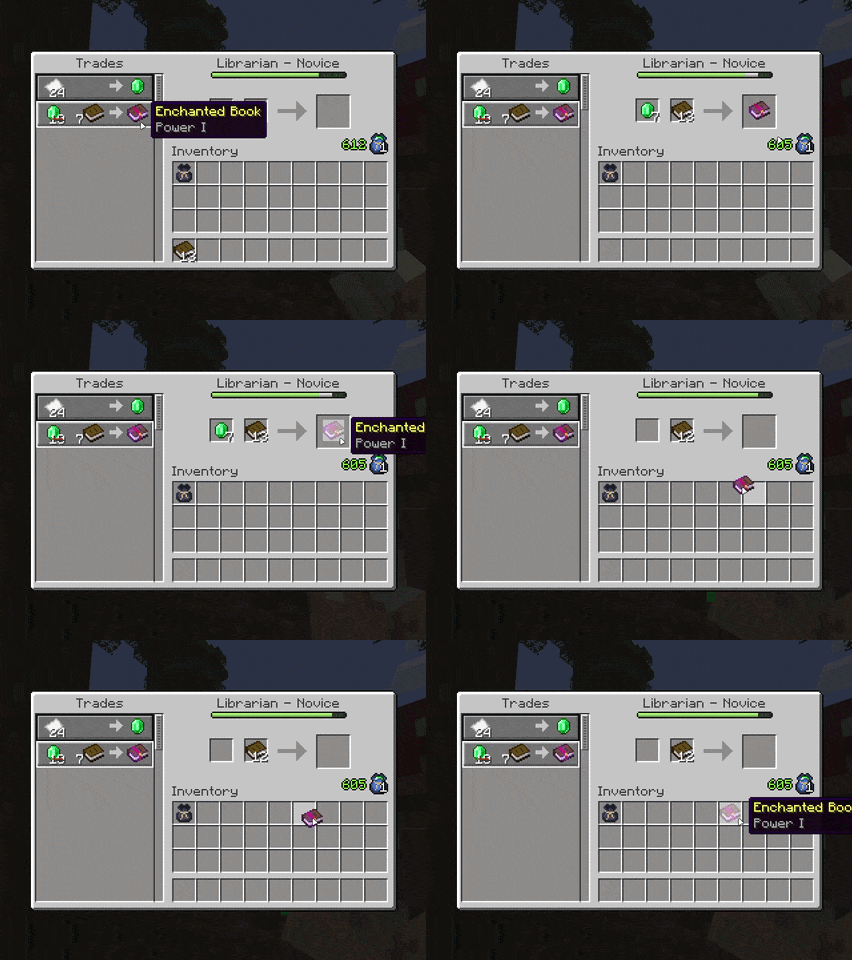
- Trade directly with villagers using emeralds stored inside your pouch(es)
While Emerald Pouch takes some visual inspiration from vanilla bundles, it is not meant to be restricted by the same design. Each slot functions as a proper emerald storage slot and can hold full stacks, making the mod especially useful in packs where emeralds are much more common.
Realistically, you will probably only need one pouch in a normal playthrough, but nothing is stopping you from filling your inventory with them anyway. Or collecting one of every colour just because you can :D



Features
Current functionality includes:
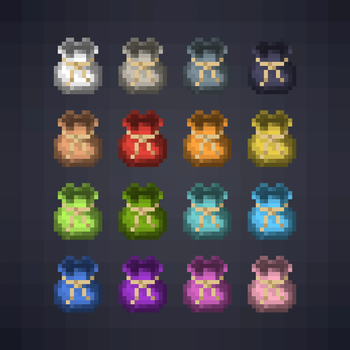
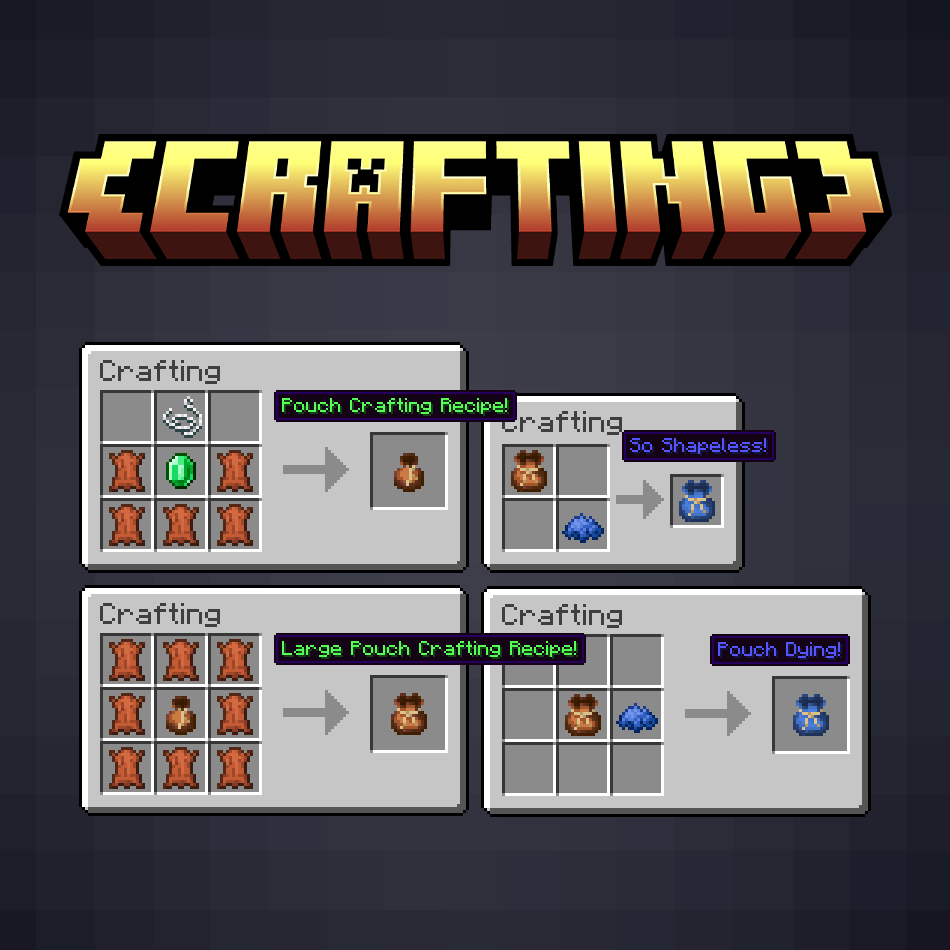
- Dedicated emerald pouch items in multiple colour variants, with two different sizes
- Custom pouch container screens
- Shift + right-click in either hand to open
- Right-click can quickly equip to a supported belt/accessory slot
- Inventory keybind access with
Nby default - Automatic emerald intake toggle
- Optional instant compaction toggle
- Sequential pouch filling when multiple pouches are present
- Full villager trading support with pouch-backed emerald payment
- Automatic emerald block breakdown during trades when needed
- Automatic return of unused pouch-sourced emeralds when closing the merchant screen
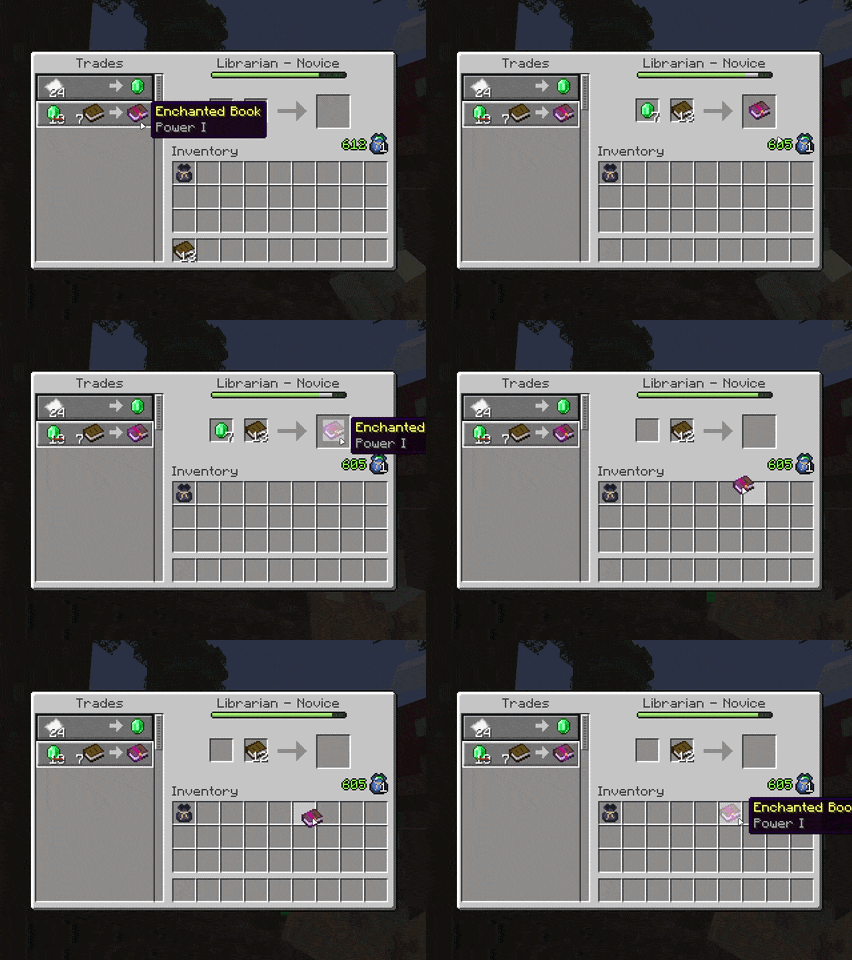
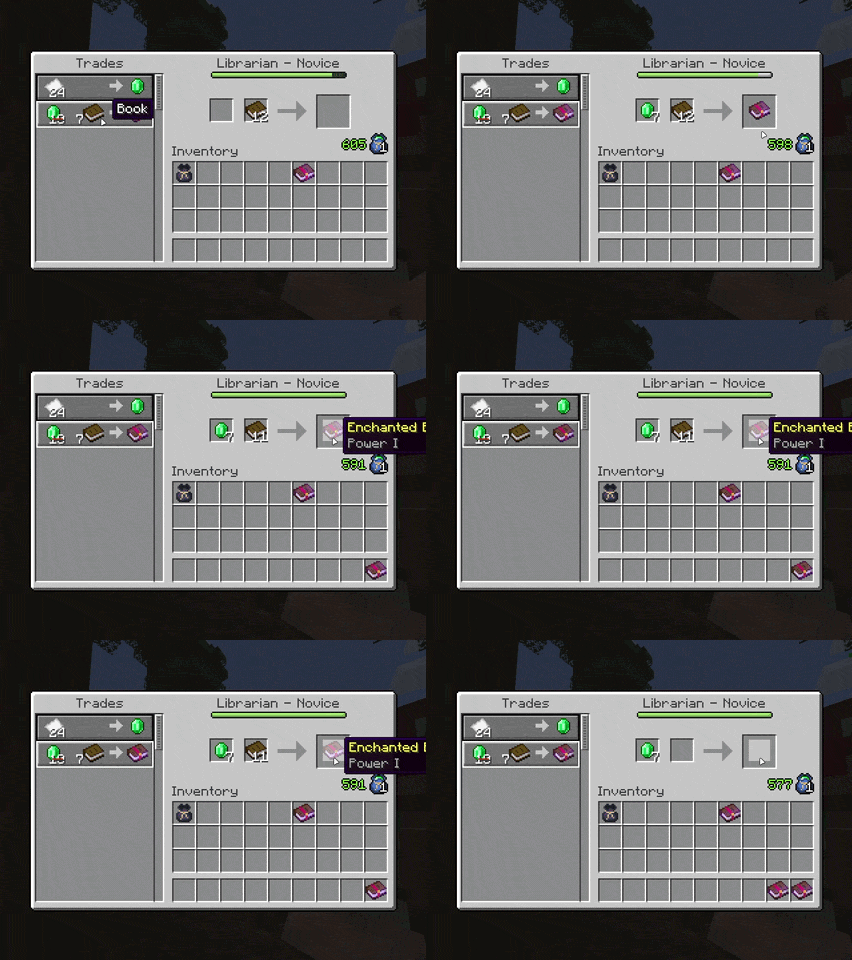
Trading is fully supported. When using the villager trading screen, selecting a trade will automatically pull emeralds from your pouch(es) into the payment slots as needed. If there are not enough loose emeralds available, stored emerald blocks can be broken down automatically to complete the cost.
A normal click will perform a single trade and fill the emerald slots once. Shift-clicking the result will perform the trade and then automatically refill the emerald slots from your pouch, making it easy to repeat the same trade continuously.
When the merchant screen is closed, any leftover emeralds that originally came from a pouch are deposited back into it automatically. A trade session tracks how many emeralds came from your pouches versus your regular inventory, so only pouch-sourced emeralds are returned.
When choosing where emeralds are pulled from, Emerald Pouch prioritizes equipped pouches first (Accessories/Curios belt slots), then offhand, then inventory pouches. Loose emeralds are always used before emerald blocks are broken down.


Default keybinds
- Open Emerald Pouch -
N- Opens the first pouch found in your inventory
- If Accessories. Curios, or Trinkets, is installed, it will prioritize an equipped belt-slot pouch first
Controls
- Right-click with pouch in hand
- Equips/swaps it into a supported belt/accessory slot if Accessories, Curios, or Trinkets are installed
- Falls back to opening the pouch directly when no supported equip slot is available
- Shift + Right-click with pouch in hand
- Opens that pouch directly
From the pouch screen, you can manage stored emeralds through a container UI.


Compatibility
Emerald Pouch currently includes built-in compatibility with:
-
- Supports equipping pouches in the belt slot
- The default
Nkeybind will prioritize opening the equipped belt-slot pouch first - Villager trading will prioritize equipped belt-slot pouches before other pouch locations
- Right-click can quickly equip a pouch into the belt slot
-
- Supports equipping pouches in the belt slot
- The default
Nkeybind will prioritize opening the equipped belt-slot pouch first - Villager trading will prioritize equipped belt-slot pouches before other pouch locations
- Right-click can quickly equip a pouch into the belt slot
-
- Supports equipping pouches in the belt slot
- The default
Nkeybind will prioritize opening the equipped belt-slot pouch first - Villager trading will prioritize equipped belt-slot pouches before other pouch locations
- Right-click can quickly equip a pouch into the belt slot
-
- Allows pouch contents to be previewed directly in the tooltip, similar to other container-style items
If there is a specific mod you would like compatibility support for, feel free to open an issue on the GitHub repo.
Mod Developer API
Emerald Pouch now exposes a small common API under com.jvn.emeraldpouch.api for mods that want to read or fill pouch storage.
Main entry points:
EmeraldPouchApi.isPouch(stack)EmeraldPouchApi.getContents(pouchStack)EmeraldPouchApi.setSlot(pouchStack, slot, stack)EmeraldPouchApi.findFirstPlayerPouch(playerInventory)EmeraldPouchApi.insertIntoPlayerPouch(playerInventory, reference, stack, maxToInsert)
Example:
Optional<PlayerPouchReference> pouchRef = EmeraldPouchApi.findFirstPlayerPouch(player.getInventory());
if (pouchRef.isPresent()) {
    ItemStack remainder = EmeraldPouchApi.insertIntoPlayerPouch(
            player.getInventory(),
            pouchRef.get(),
            new ItemStack(Items.EMERALD, 16),
            16
    );
}
Pouch slot contents are still restricted to emeralds and emerald blocks. For player-held pouches, prefer the setPlayer... and insertIntoPlayerPouch(...) helpers so Emerald Pouch can commit the updated stack back into inventory, Curios, or Accessories correctly.

Version and Loader
- ✅ NeoForge 1.21.1 [Active development]
- ⛔ NeoForge 1.20.1 [Not planned]
- ⛔ Forge 1.21.1 [Not planned]
- ✅ Forge 1.20.1 [Active development]
- ✅ Fabric 1.21.1 [Active development]
- ? Fabric 1.20.1 [Planned port]
Planned Features
- Additional polish for the pouch container UI, including a more custom container texture
- Expanded configuration options, including the ability to move HUD/inventory elements to a custom location
- Broader compatibility support where needed

Credits
A huge thank you to BigWander for the original pouch pixel art that helped inspire and support Emerald Pouch.
The pouch textures used in this mod are modified versions of assets from their asset pack "Travellers pouch". Please go show them some love and check out their work! :D
License
All Rights Reserved.
Feel free to use this mod in modpacks, videos, etc. Just provide a link back to this page if possible :)
Please don't port this mod without express permission from me.
For any general queries/unlisted questions, DM me on Twitter (@prodbyjvn) / Discord (ijvn).
⚠ This mod ONLY exists on Modrinth & CurseForge as of April 2026. Any sites hosting this mod outside of Modrinth/CurseForge are not official releases. ⚠
请登录后举报
请 登录 后赞助作者。
暂无评论,抢个沙发吧~