
SignPort
作者:rebot | 分类:模组
Minecraft 版本: 26.2
平台: neoforge
标签: transportation utility
SignPort
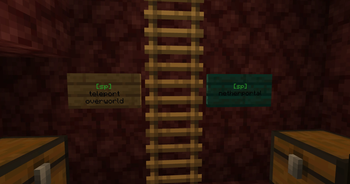
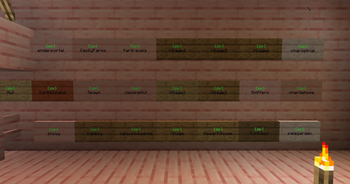
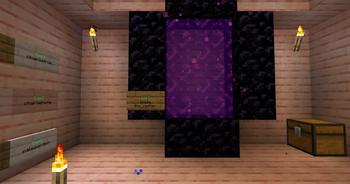
SignPort is a Fabric mod that turns ordinary signs into named travel portals. Create an anchor, write its name on a sign, and right-click the sign to teleport.
Original project by approved (GitHub) - approved (Modrinth). Posted this project with their express permission.
Features
- Create, group, list, filter, sort, delete, and teleport to named anchors.
- Turn signs into portals with
[sp]or[signport]. - Target anchors in the current dimension or another dimension.
- Browse nearby anchors with
/sp anchor near [radius]. - Use tab completion for anchor names and groups.
- Supports front/back sign text by checking the side the player is facing first.
- Colors the portal marker green for valid targets and red for missing targets.
- Optional client features add HUD lookup hints, an anchor browser, sign-editor autocomplete, and a SignPort Template form for filling valid portal signs.
- Optional BlueMap integration publishes anchor markers to your web map.
- Supports LuckPerms through
fabric-permissions-api, with vanilla operator fallbacks.
Optional Integrations
SignPort's core portal and command features are server-side. Vanilla clients can join and use portal signs normally.
- SignPort client mod: optional on players' clients. When both client and server have SignPort installed, the client receives synced anchor and permission data. This enables portal-sign HUD lookup hints, an anchor browser opened with the
Jkey, sign-editor autocomplete, and the permission-gated SignPort Template button. - BlueMap: optional server-side integration. When BlueMap is installed, SignPort publishes anchors as marker sets by dimension. Enabled by default.
- LuckPerms or another
fabric-permissions-apiprovider: optional server-side permission provider. Without one, SignPort uses vanilla operator fallback levels. - ModMenu: optional client-side settings entry. If ModMenu is installed, SignPort appears in ModMenu's config list.
Sign Format
line 1: any text
line 2: [sp] or [signport]
line 3: anchor-name
line 4: optional dimension id
Examples:
Spawn
[sp]
spawn
Nether Hub
[signport]
hub
netherAccepted dimension values for line 4: overworld, nether, end, the_nether, the_end, or any full namespace ID like minecraft:overworld or mymod:custom_dimension.
Commands
/signport anchor create <name>
/signport anchor create <name> <group>
/signport anchor create <name> <x> <y> <z>
/signport anchor setgroup <name> <group>
/signport anchor list [filter] [page] [--sort=name|distance|recent]
/signport anchor near [radius] [page]
/signport anchor delete <name>
/signport anchor delete all
/signport tp <name>
The shorter /sp alias can be used in place of /signport.
Permissions
SignPort works with LuckPerms through fabric-permissions-api. If no permission provider is installed, it falls back to vanilla operator checks.
| Permission | Default |
|---|---|
signport.anchor.create |
operator level 2 |
signport.anchor.delete |
operator level 2 |
signport.anchor.list |
operator level 2 |
signport.teleport.command |
everyone |
signport.sign.create |
operator level 2 |
signport.sign.edit |
operator level 2 |
signport.sign.break |
operator level 2 |
signport.sign.use |
everyone |
Configuration
On first server start, SignPort creates config/signport.json with these server settings:
| Setting | Default | Description |
|---|---|---|
teleportCommandDefault |
true |
Allows everyone to use /sp tp when no permission provider overrides it. |
signUseDefault |
true |
Allows everyone to use portal signs when no permission provider overrides it. |
protectedActionOpLevel |
2 |
Vanilla op level fallback for protected anchor and portal-sign actions. |
crossDimensionPortalSigns |
true |
Lets line 4 on signs target another dimension. |
safeTeleportSearch |
true |
Searches for a safe nearby standing spot before teleporting. |
anchorListPageSize |
10 |
Number of anchors shown per /sp anchor list page. |
defaultNearRadius |
128 |
Default radius for /sp anchor near. |
bluemapEnabled |
true |
Enables BlueMap anchor markers when BlueMap is installed. |
When installed client-side, SignPort creates config/signport-client.json with these client settings:
| Setting | Default | Description |
|---|---|---|
hudHintEnabled |
true |
Shows portal-sign lookup hints in the hotbar. |
browserKeybindEnabled |
true |
Enables the anchor browser keybind. Restart the game after changing this value. |
signEditorAutocompleteEnabled |
true |
Enables anchor-name autocomplete while editing signs. |
signTemplateButtonEnabled |
true |
Shows the SignPort Template button when the server reports that the player can create portal signs. |
Requirements
- Fabric Loader
- Fabric API
- Java 25
Install SignPort on the server. Players do not need to install it on their clients, but installing the same jar client-side enables the optional client helpers listed above.
Modpacks and Redistribution
You may include SignPort in modpacks.
For Modrinth modpacks, prefer adding SignPort as a project dependency so users download the official file from this page.
If you redistribute the jar directly outside Modrinth, keep the LGPL-3.0-only license notice, credit the original project/author attribution, and link back to this project or the GitHub source. Modified versions must follow the LGPL-3.0-only license terms.
请登录后举报
请 登录 后赞助作者。
暂无评论,抢个沙发吧~