MoreHeadSounds
作者:rebot | 分类:模组
Minecraft 版本: 1.20 1.20.1 1.20.2 1.20.3 1.20.4 1.20.5 1.20.6 1.21 1.21.1 1.21.2 1.21.3 1.21.4 1.21.5 1.21.6 1.21.7 1.21.8
平台: paper purpur spigot
标签: game-mechanics mobs utility
MoreHeadSounds


Authors: thojo0 & PYZR
Description
MoreHeadSounds is a Minecraft plugin that enhances the gameplay experience by allowing custom sounds to be associated with player heads and note blocks. This plugin provides a unique way to customize the sounds in your Minecraft world, adding a layer of personalization and fun to player interactions and events.
Features
- Custom Sounds for Player Heads: Assign specific sounds to player heads, which can be triggered when interacting with note blocks.
- Dynamic Sound Configuration: Easily configure which sounds should be included or excluded for specific player heads using the configuration file.
- Commands for Easy Management:
- /moreheadsounds config: Allows changing the configuration.
- /moreheadsounds clearItem: Clear the custom sound from the player head you are holding.
- /moreheadsounds getHash: Retrieve the texture hash of the player head you are holding or looking at, useful for debugging and configuration.
- Tab Completion: Provides convenient tab completion for commands and coordinates, making it easier to use the plugin's features.
Commands and Permissions
-
/moreheadsounds config reload
- Permission:
moreheadsounds.config - Description: Reloads the plugin configuration.
- Permission:
-
/moreheadsounds config list [page]
- Permission:
moreheadsounds.config - Description: Lists all the configured head hashes.
- Permission:
-
/moreheadsounds config include
- Permission:
moreheadsounds.config - Description: Adds a sound to the include list of the held head.
- Permission:
-
/moreheadsounds config exclude
- Permission:
moreheadsounds.config - Description: Adds a sound to the exclude list of the held head.
- Permission:
-
/moreheadsounds config remove
- Permission:
moreheadsounds.config - Description: Removes a sound from the held head's configuration.
- Permission:
-
/moreheadsounds config show
- Permission:
moreheadsounds.config - Description: Shows the configuration of the held head, including a preview of the active sounds.
- Permission:
-
/moreheadsounds clearItem
- Permission:
moreheadsounds.clearItem - Description: Clears the custom sound from the player head in your main hand.
- Permission:
-
/moreheadsounds getHash
- Permission:
moreheadsounds.getHash - Description: Retrieve the texture hash of the player head you are holding or looking at, useful for debugging and configuration.
- Permission:
Configuration
The plugin's configuration file (config.yml) allows server administrators to specify which sounds should be included or excluded for specific player heads. This enables fine-tuned control over the custom sounds applied to player heads in your Minecraft world.
The configuration is based on the texture hash of the player heads. For each hash, you can specify include and exclude lists for sounds. The entries must be valid namespaced identifiers.
include: A list of sounds or sound categories to be associated with the head.exclude: A list of sounds or sound categories to be excluded.
You can specify a single sound (e.g., entity.creeper.primed) including custom sounds from texture packs, or a whole category of sounds by ending with a dot (e.g., entity.creeper.).
The processing order is as follows:
- All sounds from categories in the
includelist are added. - All sounds from categories in the
excludelist are removed. - All single sounds from the
includelist are added. - All single sounds from the
excludelist are removed.
Example:
e50294a1747310f104124c6373cc639b712baa57b7d926297b645188b7bb9ab9:
  include:
    - entity.allay.
a3c34722ac64496c9b84d0c54019daae6185d6094990133ad6810eea3d24067a:
  include:
    - entity.parrot.
  exclude:
    - entity.parrot.imitate.
Installation
- Download the MoreHeadSounds plugin jar file.
- Place the jar file in your server's
pluginsdirectory. - Start or restart your server.
- The plugin will create a default configuration file in the
plugins/MoreHeadSoundsdirectory. - Edit the configuration file as needed to customize the sounds for player heads.
- Use
/moreheadsounds config reloadto apply any changes made to the configuration file.
Usage
- Hold a player head and use the
/moreheadsounds clearItemcommand to remove any custom sound from it. - Use the
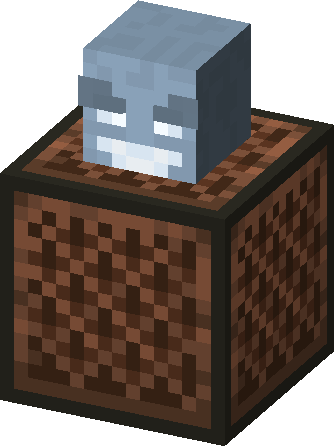
/moreheadsounds getHashcommand to get the texture hash of a player head, which can be used in the configuration file. - Place a note block and a player head above it to trigger the custom sound when interacting with the note block.
Support
For support and more information, visit the plugin's official page or contact the authors.
请登录后举报
暂无评论,抢个沙发吧~