
Mekanism: QIO Autocrafter
作者:rebot | 分类:模组
Minecraft 版本: 1.20.1 1.20.2 1.20.3 1.20.4 1.20.5 1.20.6
平台: forge
标签: game-mechanics management technology
WORK-IN PROGRESS
QIO AutoCrafter
Autocrafting for Mekanism's QIO system — no cables, no interfaces, no pattern chests.
QIO AutoCrafter adds a single machine that plans and executes crafting recipes directly
against a QIO frequency. Ask it for an item, and it figures out the whole recipe tree on
its own: which intermediates to craft, how many of each, and whether your stored materials
are enough — then crafts everything virtually, straight from and into your QIO storage.
Features
- Recursive auto-crafting — request a deep Mekanism item (induction cells, control
circuits, energy cubes...) and the machine resolves the full recipe chain automatically.
No patterns to encode, ever. - QIO-native — materials are taken from the bound QIO frequency and results go back
into it. The machine itself stores nothing but energy. - Smart planning — runs asynchronously off the server thread, prefers materials you
already have, understands tag variants (any log → planks), and reports exactly which
base materials you're missing and how many. - Missing Materials panel — live side panel listing every missing item with its icon,
the amount needed and how much is already available, color-coded red/orange/green as you
restock. - Job queue — queue up to 24 requests; completed jobs clean themselves up, failed ones
tell you why, and cancelling returns every reserved material to the QIO. - Safe by design — materials are reserved before crafting and rolled back on any
failure. Chunk unloads and server restarts mid-craft don't dupe or void items. - Multiplayer ready — respects Mekanism frequency security (Public / Trusted /
Private): nobody can drain a private frequency through your machine. - Upgrades — supports Speed and Energy upgrades.
Interface
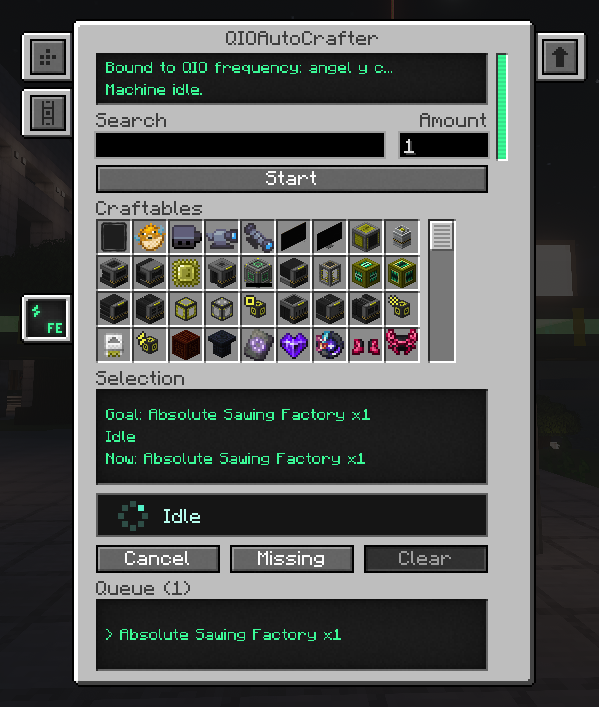
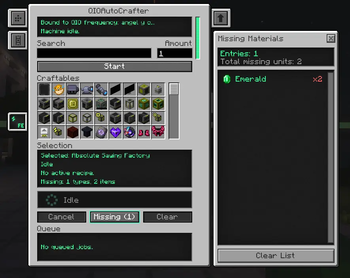
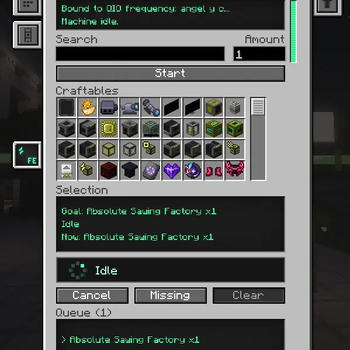
Search any craftable item, set the amount (up to 9,999,999), press Start and watch the
queue. The activity bar shows what the machine is doing at all times.
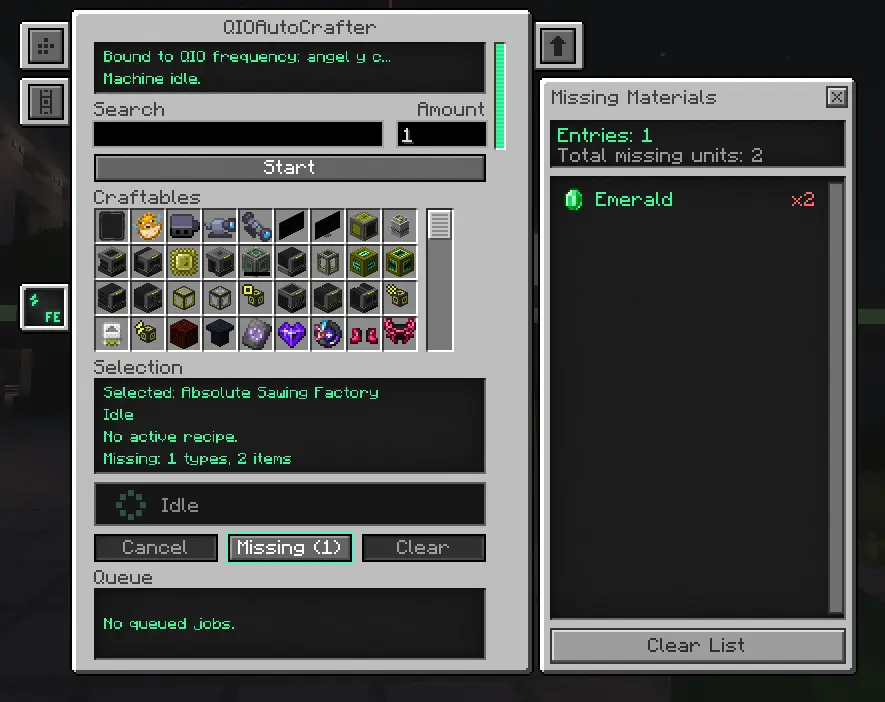
The Missing button opens the side panel: every missing material with live availability
from your QIO, updating as you restock.
? Getting started
- Craft the machine (endgame recipe — see below).
- Bind a frequency: right-click the machine with a Portable QIO Dashboard that has
your frequency selected. - Power it (any Forge Energy / Mekanism cable works).
- Right-click to open the GUI, search an item, set the amount and press Start.
Crafting recipe
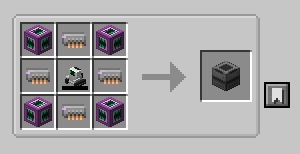
| Ultimate Induction Provider | Supermassive QIO Drive | Ultimate Induction Provider |
| Supermassive QIO Drive | Robit | Supermassive QIO Drive |
| Ultimate Induction Provider | Supermassive QIO Drive | Ultimate Induction Provider |
It's meant to be a late-game reward — by the time you can afford four Supermassive QIO
Drives, you really don't want to hand-craft induction matrices anymore.
Requirements
| Minecraft | 1.20.1 (Forge 47.4+) |
| Required | Mekanism 10.4.16+ |
| Sides | Client and server (same version on both) |
Works great alongside Mekanism Generators / Tools / Extras.
⚠️ Good to know ⚠️
- If a recipe tree is too deep for the planning budget, the job fails with a clear message;
queue a simpler intermediate first and retry. - Frequency binding currently requires the Portable QIO Dashboard (no in-GUI frequency
selector yet).
请登录后举报
暂无评论,抢个沙发吧~