
Event-PVP-Plugin
作者:rebot | 分类:模组
Minecraft 版本: 1.21 1.21.1 1.21.2 1.21.3 1.21.4 1.21.5 1.21.6 1.21.7 1.21.8 1.21.9 1.21.10 1.21.11 26.1 26.1.1 26.1.2 26.2
平台: paper purpur
标签: adventure equipment minigame


Event-PVP-Plugin — Quick Overview
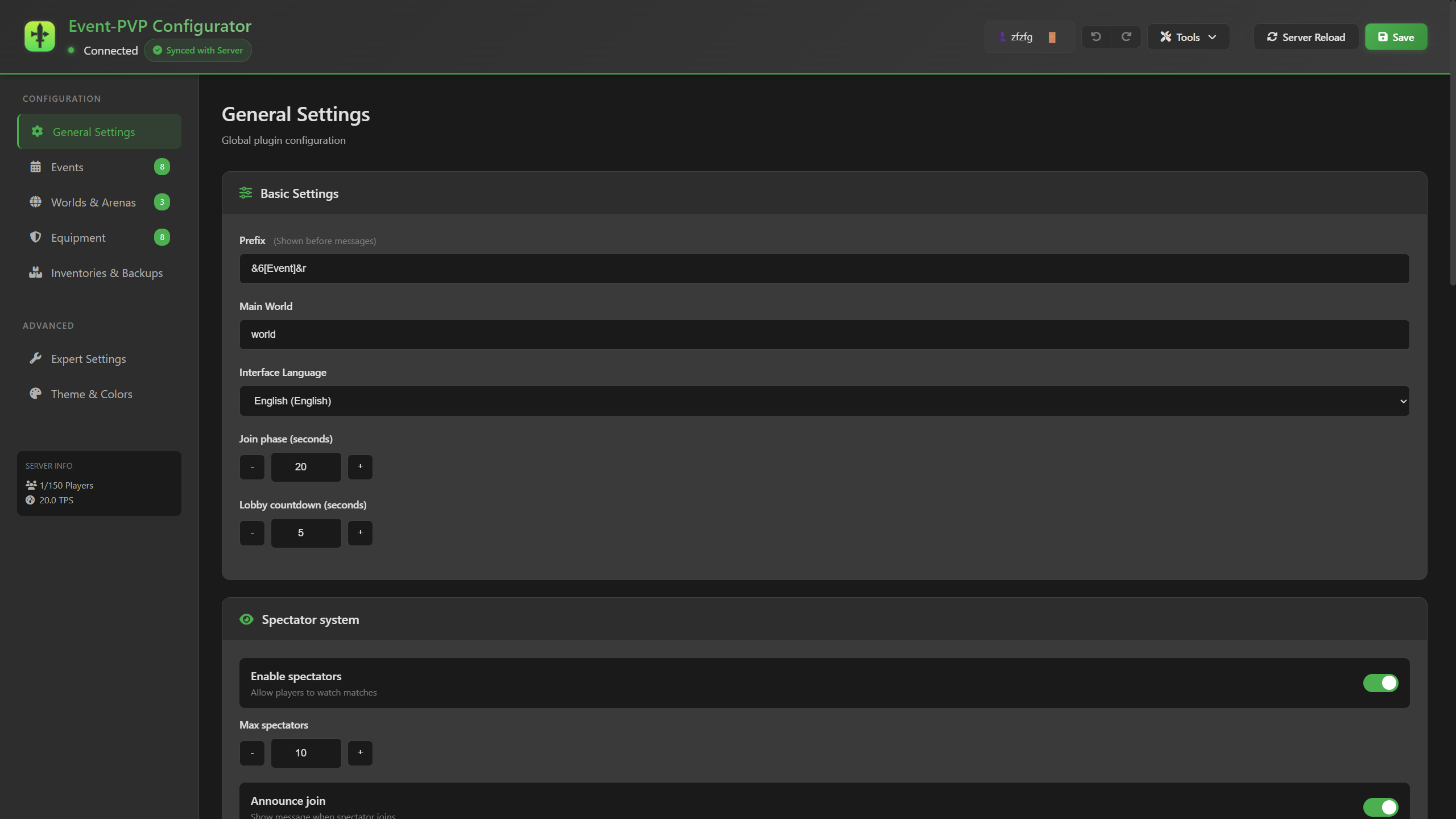
A lightweight, powerful all-in-one Minecraft plugin that unifies custom automated event management and a PvP wager betting system with an interactive browser-based web configurator.
What Can You Do?
Custom Event System
- 3 Game Modes: Solo (Free-For-All), 2-Team, and 3-Team.
- 4 Win Conditions: Last Standing, Pickup Item, Kill Count, and Time Survival — combinable with every game mode.
- Switchable Lobby Phase: Run events with an optional pre-event lobby world or teleport directly into the arena.
- 7 Spawn Types: Single point, random radius, random area, random cube, multiple spawns, team spawns, and command-based spawns.
- Automated Scheduling: Automatically launch events on intervals with random or sequential rotation.
- Custom Rewards & Leaderboards: Distribute item and command payouts to winners and participants; track stats with PlaceholderAPI, AJLeaderboards, and DecentHolograms.
PvP Wager System
- Betting Mechanics: Challenge players to duels with money wagers (Vault / VaultUnlocked) or item wagers.
- Pre-Configured Equipment Kits: Design custom armor, weapons, off-hand items, and inventories.
- Arena Management: Multiple custom arena presets with automatic resets and world protection.
- Interactive Match Flow: GUI challenge creation, counter-offers, draw voting, surrendering, and spectator mode.
Modern Web Configurator
- Visual YAML Editor: Edit
config.yml,worlds.yml,equipment.yml, andweb-config.ymlin real time with deep-snapshot precision dirty-tracking. - Dedicated 3-Tab Inventory Manager: Explorer (search and inspect backups on an authentic Minecraft canvas with XP bar, restore after a confirmation prompt), Sessions (live crash-guard sessions), and Settings.
- Multiverse World Management: Create, import, load, unload, delete (with safety checks), and backup/restore worlds directly in the browser.
- Server Item Textures: Optionally extracts and displays custom item textures from your server resource pack (off by default); ~1650 vanilla item icons ship with the plugin, no internet required.
- Secure Token Login: Access the panel via one-time tokens (
/eventpvp webtoken) with per-IP rate limiting; restores are additionally capped at 10 per minute. - Web Server Settings: Configurable port with pre-save safety warning dialog, bind address for reverse-proxy setups, and a public URL with automatic
{port}substitution.
Crash Protection & Inventory Safety
- Powered by
InventoryBackup: Full automatic backup before every teleport and restore on match/event end, respawn, or rejoin. - Anti-Strand Recovery: Players stranded in an arena or event world after a server crash/disconnect are returned safely on reconnect via
player-return-locations.yml. - Persistent Payout Queue: Queues wager winnings and event rewards for players who disconnect before payout.
100% Multilingual (7 Languages)
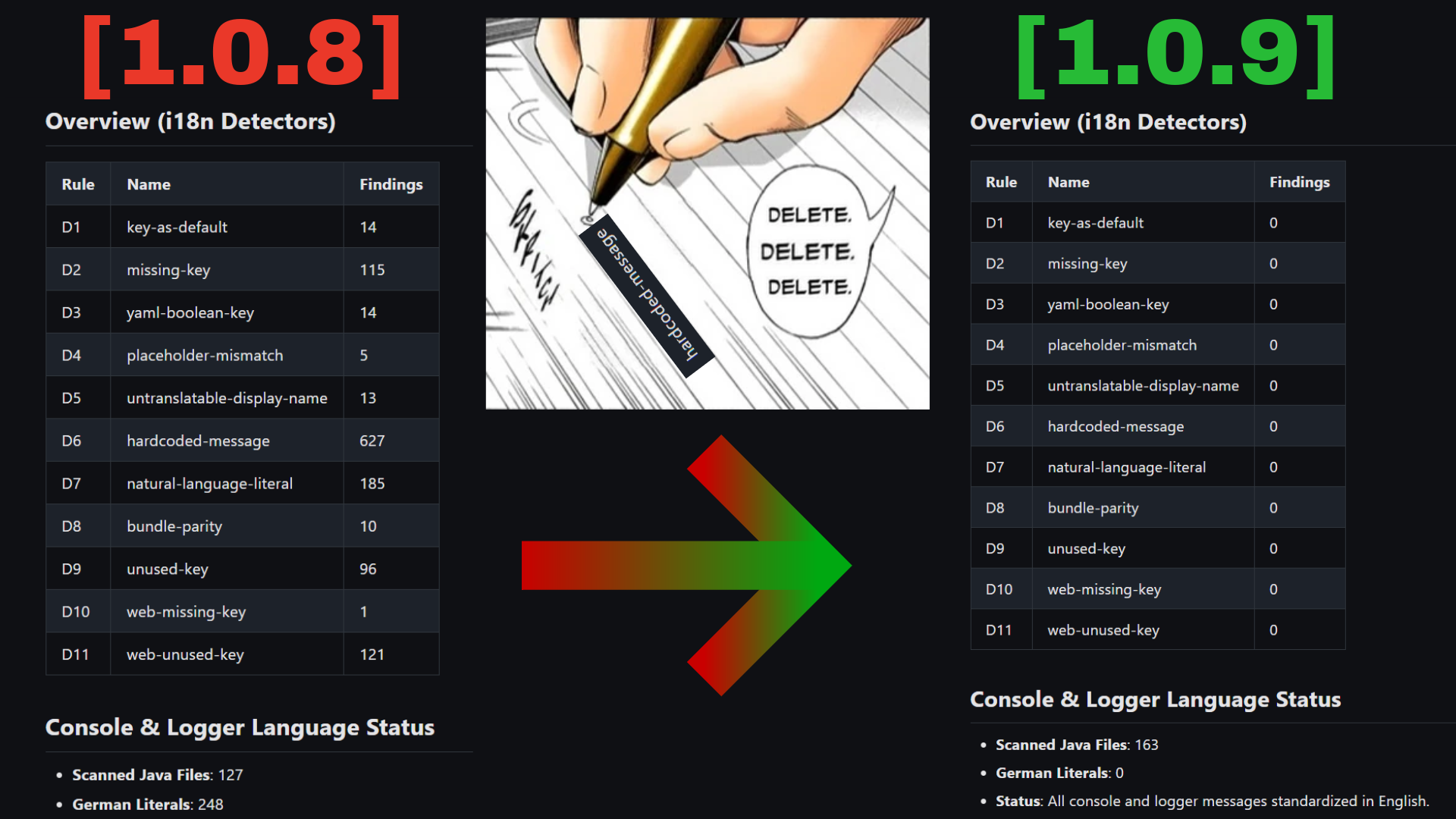
- Fully translated in English, German, Spanish, French, Japanese, Polish, and Russian with 100% key parity (1097 keys).
- Full console and logger localization via
messages.console.*. -
Automatic fallback to embedded English defaults for missing custom keys.
Quick Start & Dependencies
1. Requirements
- Server: Paper / Spigot 1.19+, Java 17+ — in practice 1.20+, because the mandatory InventoryBackup requires it.
- Mandatory Plugins:
- Multiverse-Core (v4 or v5)
- VaultUnlocked — recommended; the classic Vault from SpigotMC also works
- InventoryBackup
- Optional Integrations: PlaceholderAPI, AJLeaderboards, DecentHolograms, PvPManager
2. Setup
- Put
Event-PVP-Plugin.jar,Multiverse-Core,VaultUnlocked(orVault), andInventoryBackupinto yourplugins/folder. - Start the server (configurations migrate automatically).
- Run
/eventpvp webtokenin-game to log into the web interface and start customizing!
3. Upgrading from 1.0.8
- Stop the server.
- Install the new mandatory plugins first:
Multiverse-CoreandInventoryBackupwere optional or non-existent in 1.0.8. If one is missing, Spigot will not load the plugin at all (Unknown dependency ...in the log). - Replace the jar, then start the server.
config.yml,worlds.yml,equipment.yml,web-config.yml, and your language file migrate automatically; a<file>.bak-<timestamp>copy is written before every change and your own values are never overwritten. - Clean up your permission plugin:
eventpvp.inventory.restoreandeventpvp.inventory.restore.anyno longer exist. - Check for Multiverse-Inventories: running it in parallel on event/arena worlds causes inventory loss — either exclude those worlds or set
settings.inventory-management.provider: "none". - Review the migration log block printed on first start, and see UPGRADE.md for the full details (including how to roll back to 1.0.8).
Essential Commands
For Players
/event join <name>            - Join an event
/event leave                  - Leave the current event
/event list                   - View available events
/pvpask <player>              - Send a PvP challenge via GUI
/pvpaccept | /pvpdeny         - Accept or decline challenges
/surrender | /draw            - Surrender or vote for a draw in a match
/pvp spectate <player>        - Spectate an ongoing PvP duel
For Admins
/eventpvp webtoken            - Generate a secure web interface token
/eventpvp rescue <list|player|clean> - Manage and rescue stuck players
/eventpvp reload              - Reload all configurations and language bundles
/eventpvp debug <on|on full|off|status> - Toggle persistent debug logging
/event start <name>           - Start an event
/event stop <name>            - Stop an event
/event forcestart <name>      - Skip the remaining join countdown
/inv <player>                 - Inspect and restore player backups (provided by InventoryBackup)
The reversed order
/event <name> join|leave|start|stop|forcestartworks as well.
请登录后举报
请 登录 后赞助作者。
暂无评论,抢个沙发吧~