
BlockyWhitelist
作者:rebot | 分类:模组
Minecraft 版本: 1.14 1.14.1 1.14.2 1.14.3 1.14.4 1.15 1.15.1 1.15.2 1.16 1.16.1 1.16.2 1.16.3 1.16.4 1.16.5 1.17 1.17.1 1.18 1.18.1 1.18.2 1.19 1.19.1 1.19.2 1.19.3 1.19.4 1.20 1.20.1 1.20.2 1.20.3 1.20.4 1.20.5 1.20.6 1.21 1.21.1 1.21.2 1.21.3 1.21.4 1.21.5
平台: paper purpur
标签: management technology utility
? BWL – Discord Whitelist Plugin for Minecraft
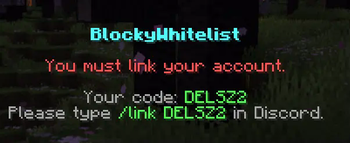
BWL is a modern and secure Discord-based whitelist system for Minecraft servers. Seamlessly connect your Discord community with your server access using a sleek and easy-to-use solution. Designed with performance, flexibility, and simplicity in mind, BWL helps server owners maintain a trusted player base without the hassle.
✅ Features:
- ? Discord Integration – Link Minecraft accounts with Discord users
- ?️ Secure Whitelisting – Only verified Discord members can join
- ⚙️ Customizable Setup – Supports roles, language editation
- ? Modern Design – Clean and optimized for all Paper/Purpur servers
- ? Logging & Feedback – Get detailed logs and user-friendly messages
Perfect for private communities, SMPs, and networks that want a smarter way to manage access.
⚙️ Setup Guide
Getting started with BWL is quick and simple. Just follow these steps to link your Discord server with your Minecraft world:
1️⃣ Create Your Discord Bot
- Head over to the Discord Developer Portal.
- Click “New Application”, give it a name, and create it.
- Under the “Bot” tab, click “Add Bot”, then Enable the following Privileged Gateway Intents:
- ✅ Presence Intent
- ✅ Server Members Intent
- ✅ Message Content Intent
- Copy your Bot Token — you’ll need it shortly.
2️⃣ Add the Bot to Your Server
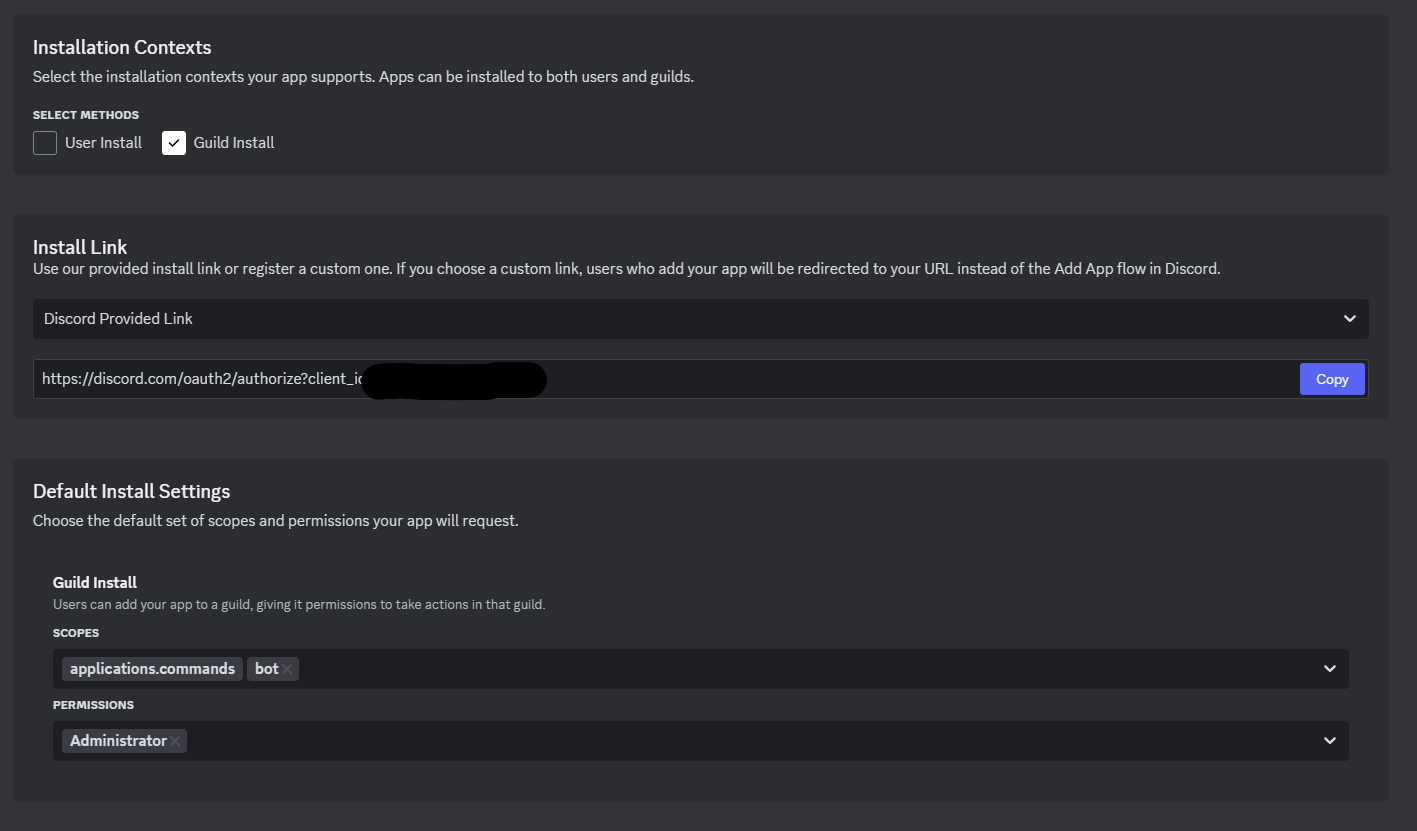
- In the Installation > Install Link, select:
- Discord provided link
- Permissions:
Read Messages,Manage Roles,Send Messages, etc. (as needed)
- Copy the generated URL, paste it in your browser, and invite the bot to your Discord server.
3️⃣ Install BWL on Your Server
- Download and place the BWL plugin
.jarfile into your server’s/pluginsfolder. - Restart your server to generate the necessary files.
4️⃣ Connect the Bot In-Game
- Join your server and run the command:
/bwl - This opens the BWL setup menu. Here you can:
- Paste your Bot Token
- Enter your Guild ID (your Discord server’s ID)
5️⃣ You're All Set!
From here, customize roles and other options to suit your server. BWL will handle the whitelist based on your setup.
If you want to edit the kick messages or anything else, open up plugins/BlockyWhitelist/languages.json and edit them however you want!
请登录后举报
请 登录 后赞助作者。
暂无评论,抢个沙发吧~