
QuickHearth
作者:rebot | 分类:模组
Minecraft 版本: 26.1 26.1.1 26.1.2
平台: fabric
标签: transportation

QuickHearth
A new take on homes and tpa teleports! QuickHearth is a server-side homes and teleport mod for Minecraft 26.1.x Fabric. This will allow server players to save spots (as a home), return to them with a click, share teleports with friends, and snap back to spawn. Designed for survival servers that want a friendlier GUI than larger teleport command bundles, with rank-aware home limits that scale as players progress. LuckPerms friendly!
Works on dedicated servers and in single-player worlds. Vanilla clients connecting to a dedicated server need nothing extra installed.
This mod also uses SGUI by Patbox. This is already pre-bundled.
What it adds
- A chest-style home picker GUI. Run
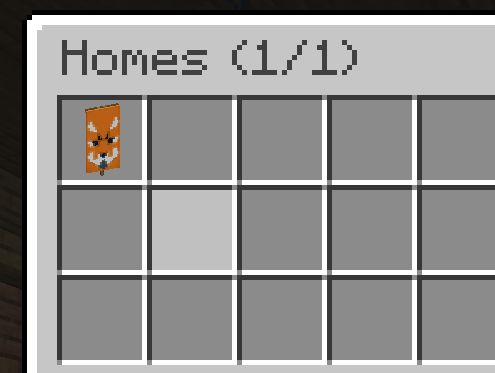
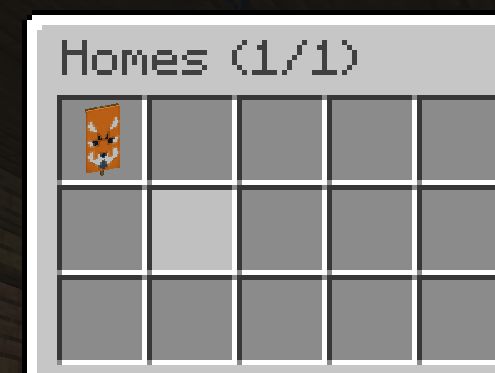
/homeand click a slot to teleport. Shift-click a slot to delete the home. - Custom icons for each home. Whatever you hold when running
/sethomebecomes that home's slot icon. Use a custom-named banner with patterns, a player head, a flower, or anything else to label your homes visually.
/spawnfor instant return to world spawn./tpa,/tpahere(alias/tpr),/tpaccept,/tpdeny, and/tpatogglefor teleport requests between players.- Rank-aware home limits. Admins give different ranks different home counts via LuckPerms and grant individual bonus homes as rewards via a vanilla scoreboard objective. The two layers stack.
Commands
Homes
/sethome saves your current location as "home" (the default name).
/sethome <name> saves with a custom name like "basecamp" or "iron-farm". Names accept letters, numbers, underscores, and hyphens, up to 24 characters.
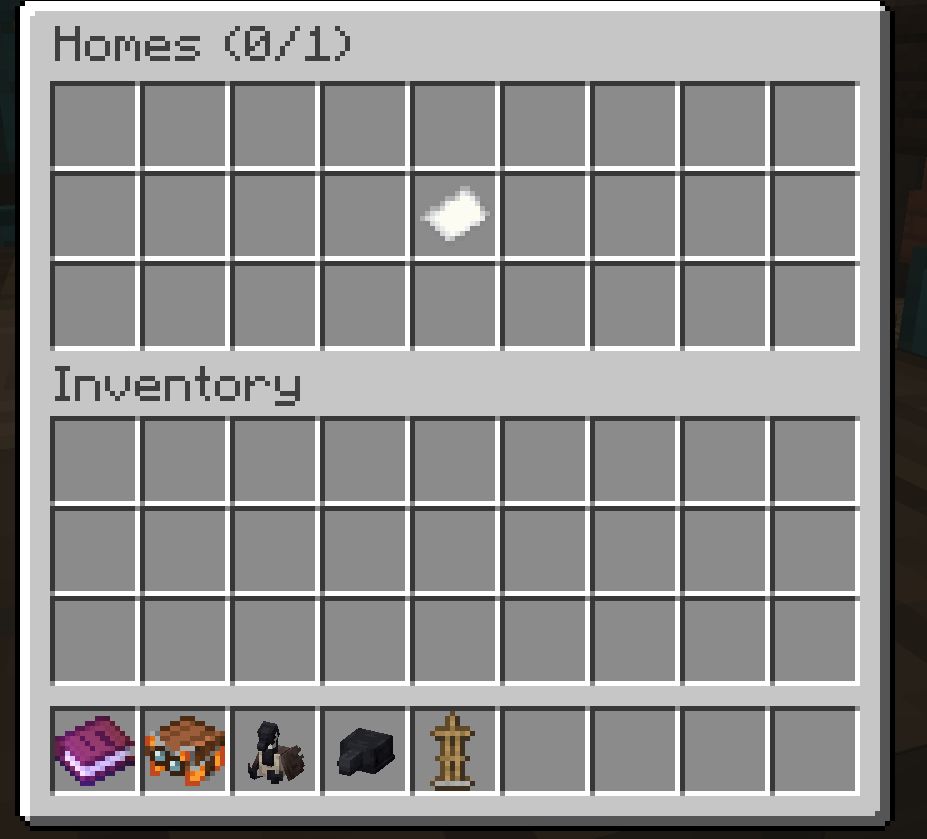
The item in your main hand when you run /sethome becomes that home's slot icon in the picker. Empty hand falls back to a plain white banner. Re-running /sethome with the same name overwrites both the location and the icon.
/home opens the home picker, a 27-slot chest GUI showing all your homes. Click a slot to teleport. Shift-click to delete.
/home <name> teleports directly to a home, with tab-completion.
/home help prints the command list in chat.
/homes is the same as /home (opens the picker).
/delhome <name> deletes a home, with tab-completion.
Spawn
/spawn teleports you to world spawn.
Teleport requests
/tpa <player> asks the target if you can teleport to them. They see a chat prompt to /tpaccept or /tpdeny.
/tpahere <player> (alias /tpr) asks the target to teleport to you instead.
/tpaccept accepts the most recent pending request directed at you.
/tpdeny declines it.
/tpatoggle blocks incoming teleport requests until you toggle it back on. Persists across server restarts.
Pending requests expire automatically after 60 seconds.
Teleport behavior
All teleports share these rules:
- 3-second warmup. Countdown appears in chat. Moving cancels the teleport.
- 30-second cooldown after a successful teleport before another can start.
- Only one teleport can be queued at a time.
Home limits
A player's maximum number of homes is calculated as:
max_homes = LuckPerms meta "homes-max" + scoreboard "homes_bonus"
The two layers are independent. Rank changes do not reset bonus grants, and bonus grants do not depend on LuckPerms at all.
Setting up LuckPerms ranks (optional)
Install LuckPerms-Fabric in your mods/ folder, then set the home count per group:
/lp group default meta set homes-max 2
/lp group member meta set homes-max 3
/lp group veteran meta set homes-max 5
Or per individual user, to override their group:
/lp user Steve meta set homes-max 4If LuckPerms is not installed, or no homes-max value is set, the rank base falls back to 1.
Granting bonus homes (no LuckPerms required)
QuickHearth auto-creates a dummy scoreboard objective named homes_bonus on first server start. Admins grant extra homes per player using the vanilla scoreboard command:
/scoreboard players add Steve homes_bonus 2
/scoreboard players set Steve homes_bonus 5
/scoreboard players reset Steve homes_bonus
The scoreboard value is added to the rank base. So a member (rank base 3) with homes_bonus = 2 can save up to 5 homes.
Worked example
| Player | Rank | LP homes-max |
homes_bonus |
Total |
|---|---|---|---|---|
| Alice | newcomer | 2 | 0 | 2 |
| Bob | member | 3 | 1 (event prize) | 4 |
| Carol | veteran | 5 | 2 (gifted) | 7 |
| Dave | (no LP) | 1 (default) | 3 (granted) | 4 |
The picker GUI title shows usage as Homes (used/max) so players can see at a glance how many slots they have left.
Permission nodes
Every command is allowed by default. To restrict a command for a group, set its node to false in LuckPerms.
quickhearth.command.homequickhearth.command.sethomequickhearth.command.delhomequickhearth.command.homesquickhearth.command.spawnquickhearth.command.tpaquickhearth.command.tpahere(covers/tprtoo)quickhearth.command.tpacceptquickhearth.command.tpdenyquickhearth.command.tpatoggle
Example, to revoke /tpa from the default group:
/lp group default permission set quickhearth.command.tpa falseIf LuckPerms is not installed, permission gating falls back to vanilla OP level checks.
请登录后举报
暂无评论,抢个沙发吧~