
New Super Virtual Chest
作者:rebot | 分类:模组
Minecraft 版本: 1.21.11
平台: fabric quilt
标签: storage
A New Super Virtual Chest
A server-side virtual chest mod for Fabric.
Create public or private virtual chests that store items persistently without needing any client-side installation.



📦 Features
- 🗃️ Virtual Chests – Create chests that are not tied to any physical block.
- 🌍 Public & Private –
allplayercreates a public chest anyone can open. Use a player name to create a private chest only that player (and admins) can access. - ⏳ Delayed Public Deletion – When a non-admin deletes a public chest, it enters a 3‑in‑game‑day waiting period before being permanently removed. Anyone can cancel the deletion during this time.
- ✅ Instant Admin Actions – Players with the
nsvc_admintag (or console/command blocks) can create, open, and instantly delete any chest. - 💾 Persistent Storage – All chest contents are saved to disk inside the world folder and survive server restarts.
- 🌐 Multi-language Support – English and Simplified Chinese are included. (Your client language determines which is shown.)
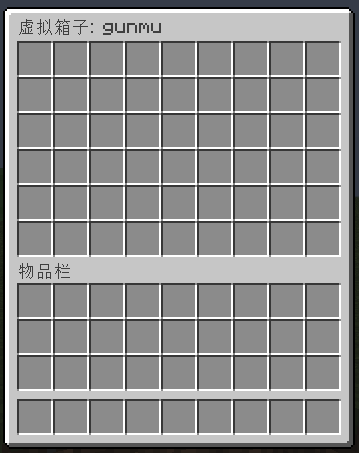
- 🖥️ Pure Server‑side – No client mod required! Players connect with a vanilla client and still see the normal chest GUI.
⌨️ Commands
All commands use the prefix/NSvc.
📝 Create a Chest
/NSvc <target> create <name> [small|large]
<target>–allplayerfor a public chest, or an online player name for a private chest.<name>– A unique name for the chest (e.g.,community_farm).[size]–small(27 slots) orlarge(54 slots). Defaults tolarge.
Examples:
/NSvc allplayer create PublicStorage large
/NSvc Steve create StevePrivate small
📂 Open a Chest
/NSvc <target> open <name>
Opens the virtual chest GUI.
Non-admin players can only open public chests or their own private chests.
Example:
/NSvc allplayer open PublicStorage
🗑️ Delete a Chest
/NSvc <target> delete <name> [close]
- Without
close– Starts deletion (public chests go into a 3‑day waiting period; private chests ask for confirmation). - With
close– Cancels a pending deletion.
Examples:
/NSvc allplayer delete PublicStorage
/NSvc allplayer delete PublicStorage close
📋 List Chests
/NSvc <target> list
Shows all chests belonging to the target (allplayer for public chests, or a player name for private chests).
Admins see all private chests; normal players only see their own.
🛡️ Admin Permissions
This mod does not use a separate permission file.
Instead, admins are identified by the nsvc_admin tag.
🏷️ Granting Admin
Run this command in the server console or as an existing admin:
/tag <player> add nsvc_admin
❌ Removing Admin
/tag <player> remove nsvc_admin
👀 Checking a Player's Tags
/tag <player> list
💡 Tip: The console and command blocks always have full admin permissions and do not need the tag.
📁 Data Storage
Virtual chest data is saved in the world folder as nsvc_virtualchests.dat.
This file is created automatically and is compatible with world backups.
🌍 Language Support
The mod automatically uses your Minecraft client language.
Currently supported languages:
- English (
en_us) - Simplified Chinese (
zh_cn)
Want to add another language? Contributions are welcome!
Enjoy hassle‑free virtual storage!
请登录后举报
请 登录 后赞助作者。
暂无评论,抢个沙发吧~