
NeoTerrain Diffusion
作者:rebot | 分类:模组
Minecraft 版本: 1.21.1
平台: neoforge
标签: worldgen
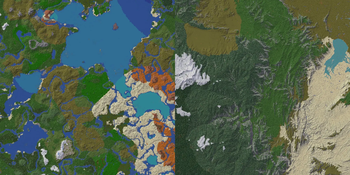
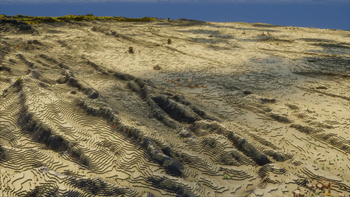
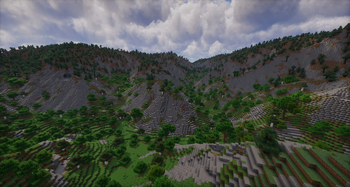
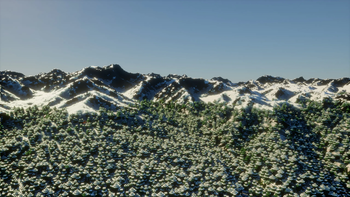
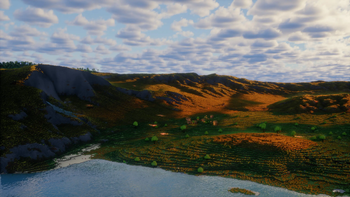
NeoTerrain Diffusion
This project is a NeoForge port of the original Fabric
Terrain Diffusion Minecraft mod,
which integrates the
Terrain Diffusion world
generation model into Minecraft.
Current Status
This port currently supports server-side use only.
It is intended for a NeoForge dedicated server. It is not currently a complete
client-side replacement for the Fabric mod's world-creation flow, client UI, or
single-player setup.
For this server, world setup is done through server.properties instead of the
Minecraft client's Create World screen.
Validated Local Server
This implementation has been built and validated for:
- Minecraft
1.21.1 - NeoForge
21.1.233 - Java
21 - Windows 10/11
- DirectML GPU inference
- Dedicated server runtime
Validated jar:
terrain-diffusion-mc-neoforge-2.2.0-neoforge.1-windows+1.21.1.jarThe local server using this mod is:
C:\Users\Collin\Desktop\Server 1.21.1Requirements
- A NeoForge
1.21.1dedicated server - NeoForge
21.1.233or newer in the same21.1.xline - Java 21
- Windows with a DirectML-compatible GPU for the validated build
- About 1.5 GB free VRAM minimum
- About 2.5 GB additional system RAM for model loading
- Internet access on first launch so the model files can download
The validated local server launcher uses this Java 21 runtime:
C:\Users\Collin\AppData\Roaming\ModrinthApp\meta\java_versions\zulu21.48.17-ca-jre21.0.10-win_x64\bin\java.exeGPU Behavior
The Windows build uses DirectML for GPU inference.
A correct startup should log:
Terrain diffusion inference: DirectML
ONNX model 'coarse' loaded on GPU
ONNX model 'base' loaded on GPU
ONNX model 'decoder' loaded on GPU
This port's Windows build is DirectML-first and should not warn about missing
CUDA during normal startup. CUDA is not required for this Windows server build.
Server Installation
Place the NeoForge jar in the dedicated server's mods folder.
For this local server, the jar is kept in the linked Modrinth profile mods
folder so the server sync step can copy it into:
C:\Users\Collin\Desktop\Server 1.21.1\server-runtime\modsThe sync script also omits known client/render-only mods from the server runtime
using:
C:\Users\Collin\Desktop\Server 1.21.1\server-mod-exclusions.txtLocal Server
Run:
C:\Users\Collin\Desktop\Server 1.21.1\Start-Server.batThat launcher:
- Syncs server-compatible mods from the Modrinth profile.
- Keeps excluded client/render jars out of
server-runtime\mods. - Starts the NeoForge dedicated server with Java 21.
Creating A Terrain Diffusion Server World
Because this is currently a server-side port, configure the world in
server.properties.
Current local server configuration:
level-name=terrain-diffusion-world
level-type=terrain-diffusion-mc\:terrain_diffusion
The active file is:
C:\Users\Collin\Desktop\Server 1.21.1\server-runtime\server.propertiesOn first launch, the mod downloads and prepares model files under:
C:\Users\Collin\Desktop\Server 1.21.1\server-runtime\terrain-diffusion-modelsConfiguration
The server config is created at:
config\terrain-diffusion-mc.propertiesFor this local server, the full path is:
C:\Users\Collin\Desktop\Server 1.21.1\server-runtime\config\terrain-diffusion-mc.propertiesCurrent tuned values:
# Inference device: "cpu", "gpu", or "auto".
# On the Windows build, "gpu" means DirectML.
inference.device=gpu

# Keep all three models loaded on GPU instead of recreating DirectML sessions
# between pipeline stages. This is faster when enough VRAM is available.
inference.offload_models=false

# Validate SHA-256 for model files already on disk.
validate_model=true

# Local web UI port for /td-explore.
explorer.port=19801

# Terrain generation region side length in blocks. Must be a power of 2.
tile_size=256

# Spawn land-search coarse-pixel region sizes.
spawn_search.initial_size=16
spawn_search.max_size=128
If GPU memory becomes tight, set:
inference.offload_models=trueThat lowers peak VRAM use but may slow generation.
Terrain Explorer
The port includes the server-side terrain explorer command:
/td-exploreRun it in game. The server prints a local web UI link, usually:
http://localhost:19801Use the explorer to scout continents, mountains, islands, climates, and useful
coordinates before traveling in game.
World Scale
The server-side port supports world scale values 1..6.
The default scale is 2.
For dedicated-server worlds, the selected scale is stored in the world save:
terrain-diffusion-world\data\terrain_diffusion_world_settings.datScale behavior:
scale=1is more compressed and runs Terrain Diffusion more often.scale=2is the default balance for playability and performance.- Higher scale values cover more blocks per generated terrain sample and shift
more work toward Minecraft's CPU-side world generation.
Because this port is currently server-side only, there is no supported client
world-creation Customize screen for changing scale in this setup. Treat scale as
part of the server world save.
Common Issues
CUDA not available
This Windows DirectML build should not emit that warning. If it appears, the
server is probably running an old jar or the wrong build variant. Reinstall the
Windows DirectML jar and rerun the server mod sync.
DirectML not available
Update the GPU driver and confirm the machine has a DirectML-compatible GPU. To
start without GPU acceleration for troubleshooting, set:
inference.device=cpuCPU inference is much slower and is not recommended for regular server use.
A dynamic link library (DLL) initialization routine failed
Use a current Java 21 runtime. The validated local server uses Modrinth's Zulu
Java 21 runtime through Start-Server.bat.
java.lang.IllegalStateException: Failed to load terrain-diffusion models
This usually means one of these happened:
- The model download failed.
- A model file failed validation.
- The server ran out of RAM or VRAM during model load.
Check the latest server log and the files under:
server-runtime\terrain-diffusion-modelsServer Starts A Normal World
Check server.properties and confirm:
level-type=terrain-diffusion-mc\:terrain_diffusionAlso confirm the Terrain Diffusion jar is present in server-runtime\mods.
Building This Port
Use a Java 21 JDK for Gradle.
On this machine, this JDK worked:
C:\Program Files\Android\openjdk\jdk-21.0.8Build the Windows DirectML jar:
$env:JAVA_HOME='C:\Program Files\Android\openjdk\jdk-21.0.8'
$env:Path="$env:JAVA_HOME\bin;$env:Path"
.\gradlew.bat build -PuseDml=true
The built jar is written to:
build\libs\terrain-diffusion-mc-neoforge-2.2.0-neoforge.1-windows+1.21.1.jarFor the local server, copy the rebuilt jar into both:
C:\Users\Collin\Desktop\Server 1.21.1\mods
C:\Users\Collin\Desktop\Server 1.21.1\server-runtime\mods
Then validate:
powershell -NoProfile -ExecutionPolicy Bypass -File "C:\Users\Collin\Desktop\Server 1.21.1\Sync-ServerMods.ps1"
powershell -NoProfile -ExecutionPolicy Bypass -File "C:\Users\Collin\Desktop\Server 1.21.1\Validate-ServerBoot.ps1" -TimeoutSeconds 900
Expected result:
Result: done
Terrain diffusion inference: DirectML
Spawn search: coarse-pixel region sizes for finding a land spawn near (0, 0).
Starts at initial_size x initial_size and expands by 8 each step up to max_size x max_size.
Each coarse pixel covers a large area (hundreds of blocks), so 16–128 is typically sufficient.
spawn_search.initial_size=16
spawn_search.max_size=128
### Per-world settings

For Terrain Diffusion worlds, click **Customize** in world creation and set:

- `World Scale` (integer `1..6`)

This value is saved with the world save and affects:

- how many real-world meters each block represents (`scale=1` => `30m/block`, `scale=2` => `15m/block`, etc.)
- world max height for newly created worlds (assumes tallest point is 10000 real-world meters)
- 2 is recommended for a good balance of scale and playability. Use 1 for smaller, more compressed worlds.
- Lower values put more stress on the GPU (Terrain Diffusion runs more often), while higher values put more stress on the CPU (larger world height). Most modern GPUs will be bottlenecked by the CPU around scale 2 or 3.

## Common Issues

**A dynamic link library (DLL) initialization routine failed**

This can happen for some older Java versions. Please update to the most recent version of Java 21 or higher. The [latest Microsoft OpenJDK 21](https://learn.microsoft.com/en-us/java/openjdk/download) version is known to work.

**LoadLibrary failed with error 126** *(CUDA build only)*

This is typically due to an improper CUDA or cuDNN installation. See [CUDA_INSTALL.md](CUDA_INSTALL.md) for troubleshooting steps.

**java.lang.IllegalStateException: Failed to load terrain-diffusion models**

This typically indicates an "out of memory" error (the logs should show this as well).
Terrain Diffusion's models take up about 2.5GB of RAM, so make sure to allocate enough RAM to account for this.

**If your issue is still not resolved, please [raise it here](https://github.com/xandergos/terrain-diffusion-mc/issues/new).**

## Building from Source

An internet connection is required during the build to fetch the pinned model manifest metadata from Hugging Face.

The `-windows` build requires `libs/onnxruntime-dml.jar`, which is provided as part of the repo. See [Building onnxruntime with DirectML](#building-onnxruntime-with-directml) to build from source.

Build for Windows (DirectML):
./gradlew build -PuseDml=true
Build for CUDA:./gradlew build -PuseCuda=true
Build for CPU (also handles macOS/CoreML automatically):./gradlew build -PuseCpu=true
Build all:./gradlew buildAll
### Building onnxruntime with DirectML

**Requirements**

- [Windows 10 SDK (10.0.17134.0)](https://developer.microsoft.com/en-us/windows/downloads/sdk-archive/index-legacy) — for Windows 10 version 1803 or newer
- Visual Studio 2017 toolchain — install *Desktop development with C++* from the VS Installer
- Visual Studio 2022 toolchain — same as above
- Python 3.10+: [https://python.org/](https://python.org/)
- CMake 3.28 or higher

Keep both VS toolchains up to date. Full details at the [ONNX Runtime build docs](https://onnxruntime.ai/docs/build/inferencing.html) and the [DirectML EP requirements](https://onnxruntime.ai/docs/execution-providers/DirectML-ExecutionProvider.html#build).

**Steps**

Run all commands from the **Developer Command Prompt for VS 2022**.
git clone --recursive https://github.com/Microsoft/onnxruntime.git
cd onnxruntime
.\build.bat --config RelWithDebInfo --build_shared_lib --parallel --compile_no_warning_as_error --skip_submodule_sync --use_dml --build_java --build
The built jar appears in `java/build/`. Rename it to `onnxruntime-dml.jar` and place it in `libs/` in this repository.

## Note For Mod Developers

While modifying the AI terrain itself is quite complex, the integration with Minecraft biomes is extremely simple. The model outputs elevation + 4 climate variables, and this is converted to Minecraft biomes with hand-written rules. This is the most immediate way to improve the quality of the terrain and is relatively easy, but takes time to get realistic. The entire biome classifier is [only 250 lines](https://github.com/xandergos/terrain-diffusion-mc/blob/master/src/main/java/com/github/xandergos/terraindiffusionmc/pipeline/BiomeClassifier.java).

The terrain diversity far outpaces the biome diversity and there's a real opportunity to close that gap. I'm hoping someone goes crazy with it.
explorer.port=19801

# Spawn search: coarse-pixel region sizes for finding a land spawn near (0, 0).
# Starts at initial_size x initial_size and expands by 8 each step up to max_size x max_size.
# Each coarse pixel covers a large area (hundreds of blocks), so 16–128 is typically sufficient.
spawn_search.initial_size=16
spawn_search.max_size=128
Per-world settings
For Terrain Diffusion worlds, click Customize in world creation and set:
World Scale(integer1..6)
This value is saved with the world save and affects:
- how many real-world meters each block represents (
scale=1=>30m/block,scale=2=>15m/block, etc.) - world max height for newly created worlds (assumes tallest point is 10000 real-world meters)
- 2 is recommended for a good balance of scale and playability. Use 1 for smaller, more compressed worlds.
- Lower values put more stress on the GPU (Terrain Diffusion runs more often), while higher values put more stress on the CPU (larger world height). Most modern GPUs will be bottlenecked by the CPU around scale 2 or 3.
Common Issues
A dynamic link library (DLL) initialization routine failed
This can happen for some older Java versions. Please update to the most recent version of Java 21 or higher. The latest Microsoft OpenJDK 21 version is known to work.
LoadLibrary failed with error 126 (CUDA build only)
This is typically due to an improper CUDA or cuDNN installation. See CUDA_INSTALL.md for troubleshooting steps.
java.lang.IllegalStateException: Failed to load terrain-diffusion models
This typically indicates an "out of memory" error (the logs should show this as well).
Terrain Diffusion's models take up about 2.5GB of RAM, so make sure to allocate enough RAM to account for this.
If your issue is still not resolved, please raise it here.
Building from Source
An internet connection is required during the build to fetch the pinned model manifest metadata from Hugging Face.
The -windows build requires libs/onnxruntime-dml.jar, which is provided as part of the repo. See Building onnxruntime with DirectML to build from source.
Build for Windows (DirectML):
./gradlew build -PuseDml=trueBuild for CUDA:
./gradlew build -PuseCuda=trueBuild for CPU (also handles macOS/CoreML automatically):
./gradlew build -PuseCpu=trueBuild all:
./gradlew buildAllBuilding onnxruntime with DirectML
Requirements
- Windows 10 SDK (10.0.17134.0) — for Windows 10 version 1803 or newer
- Visual Studio 2017 toolchain — install Desktop development with C++ from the VS Installer
- Visual Studio 2022 toolchain — same as above
- Python 3.10+: https://python.org/
- CMake 3.28 or higher
Keep both VS toolchains up to date. Full details at the ONNX Runtime build docs and the DirectML EP requirements.
Steps
Run all commands from the Developer Command Prompt for VS 2022.
git clone --recursive https://github.com/Microsoft/onnxruntime.git
cd onnxruntime
.\build.bat --config RelWithDebInfo --build_shared_lib --parallel --compile_no_warning_as_error --skip_submodule_sync --use_dml --build_java --build
The built jar appears in java/build/. Rename it to onnxruntime-dml.jar and place it in libs/ in this repository.
Note For Mod Developers
While modifying the AI terrain itself is quite complex, the integration with Minecraft biomes is extremely simple. The model outputs elevation + 4 climate variables, and this is converted to Minecraft biomes with hand-written rules. This is the most immediate way to improve the quality of the terrain and is relatively easy, but takes time to get realistic. The entire biome classifier is only 250 lines.
The terrain diversity far outpaces the biome diversity and there's a real opportunity to close that gap. I'm hoping someone goes crazy with it.
请登录后举报
请 登录 后赞助作者。
暂无评论,抢个沙发吧~